
Inside StyleCliq
Salon software features, explained
Explore the workflows behind the feature previews: bookings, customer relationships, billing, team management and AI-assisted operations.
Confirm plan availability and integration requirements for your salon with the partner team.
Compare plansQuick booking workspace
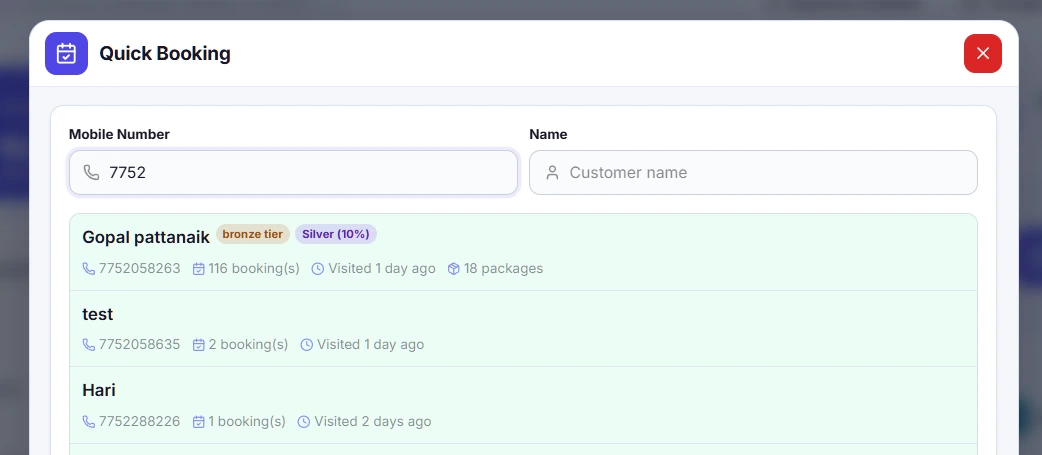
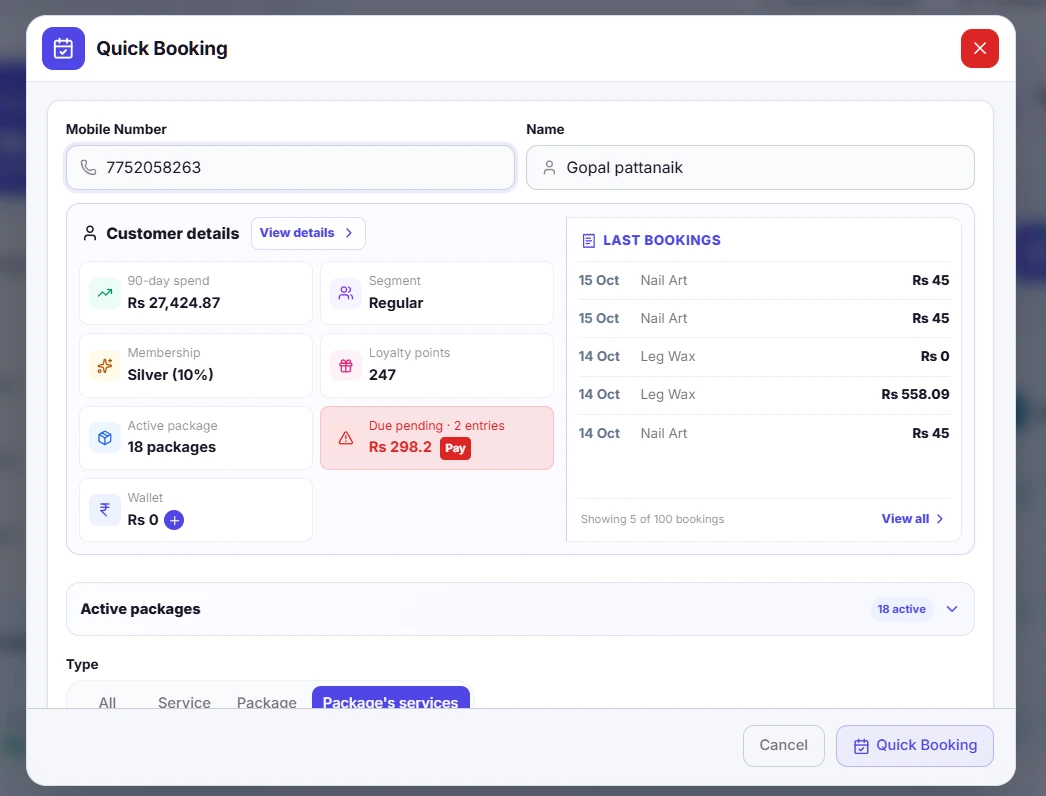
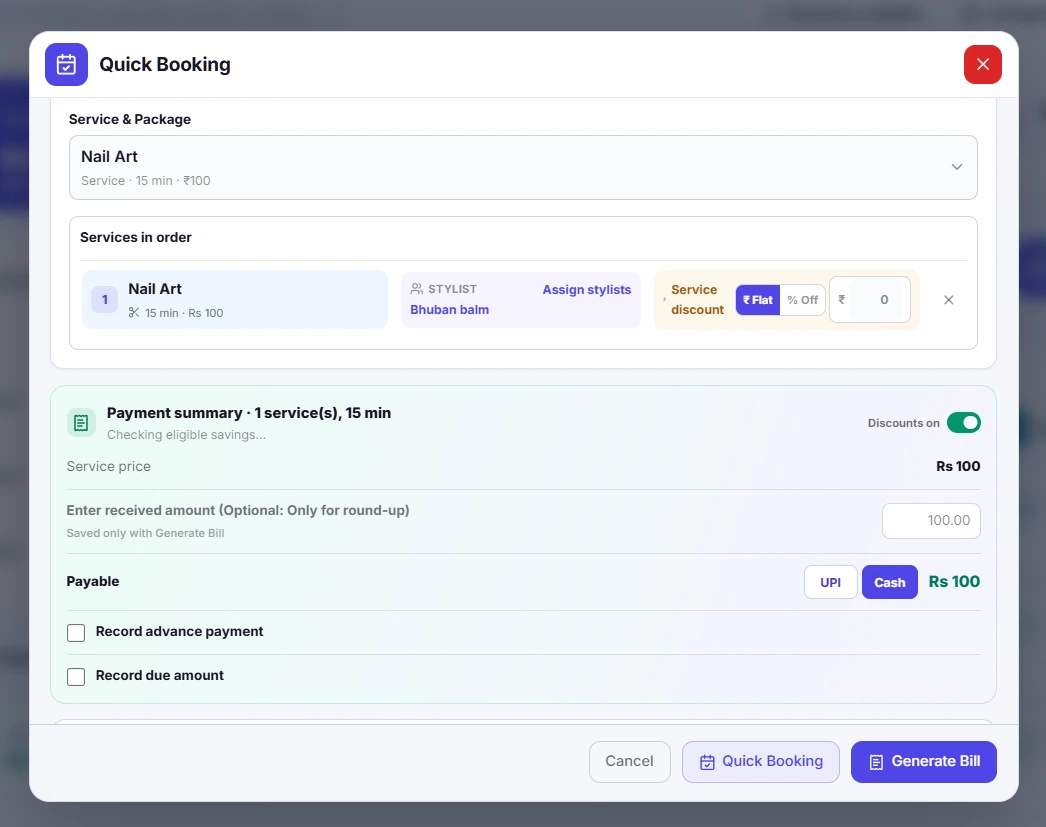
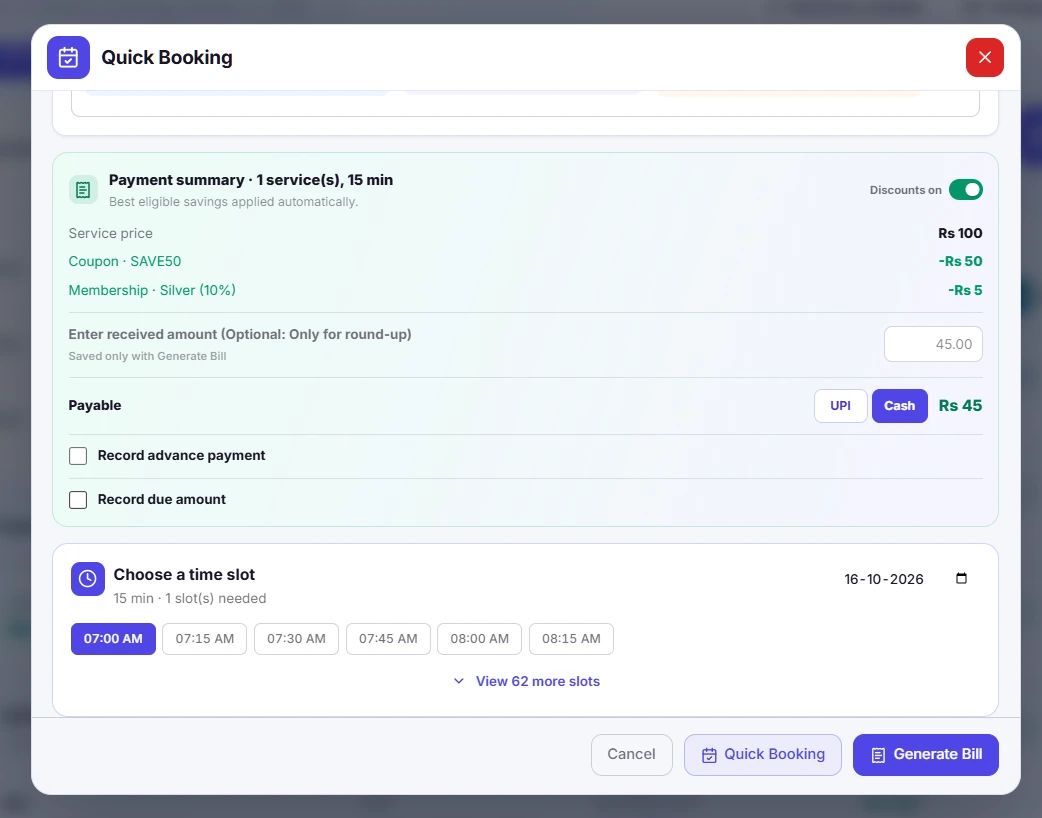
Smart, quick bookings
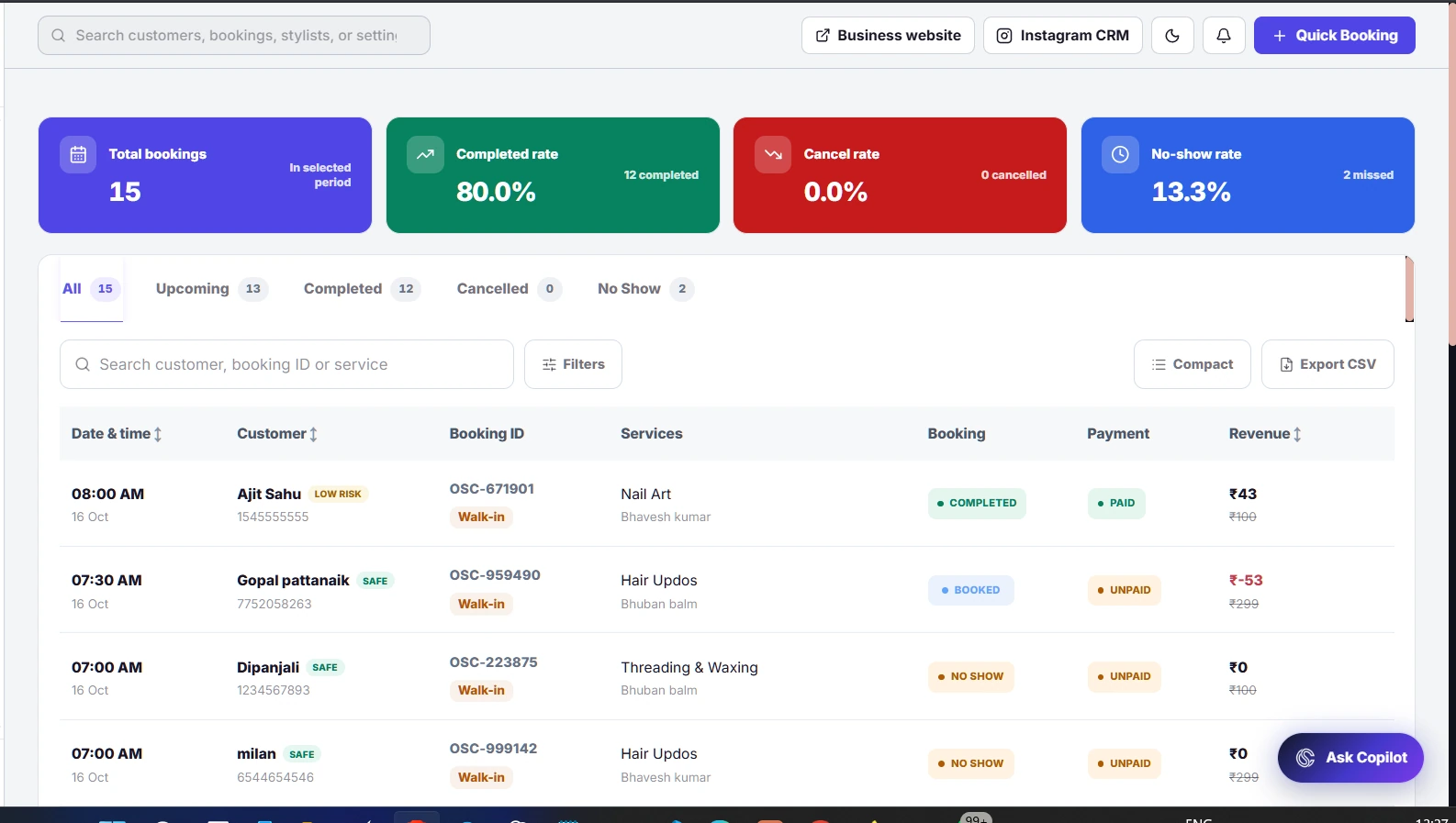
Handle a walk-in or a new appointment from the same workspace your team uses every day. Bring customer details, services, stylists and appointment timing together before confirming the booking.
What you can do
- Choose the customer and services in one flow.
- Assign a stylist and an available appointment time.
- Review the booking and payment details before confirmation.
Product screenshots (5)
Customer profile and visit history
Know every customer
Give each conversation useful context. Open a customer profile to understand their past visits, booked services and spending, so your team can make the next visit feel more personal.
What you can do
- Keep customer information linked to their visits.
- Review service and booking history before making a recommendation.
- Use the profile to support relevant follow-ups and rebooking.
Product screenshots (2)
Coupon and offer management
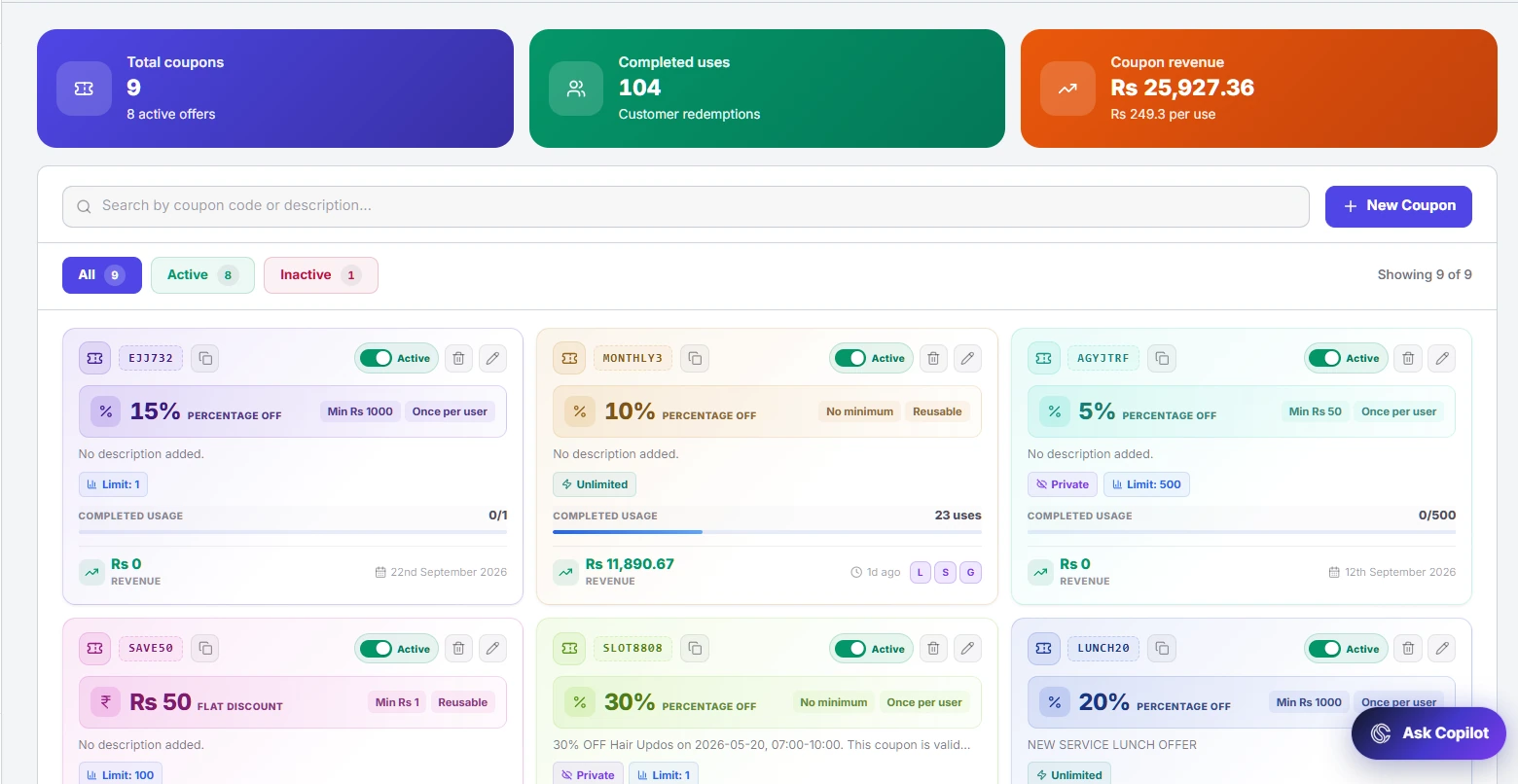
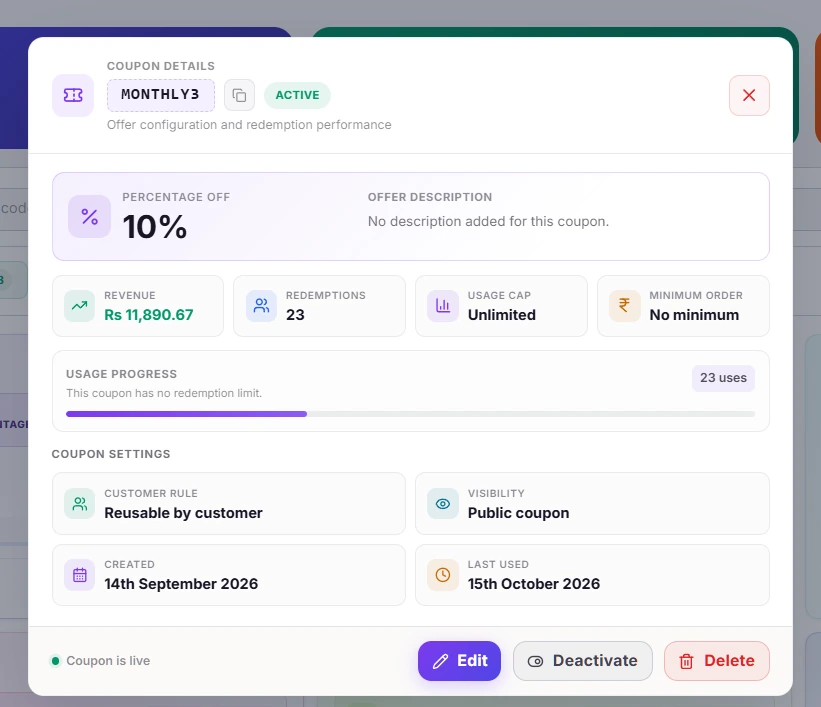
Discounts, all in one place
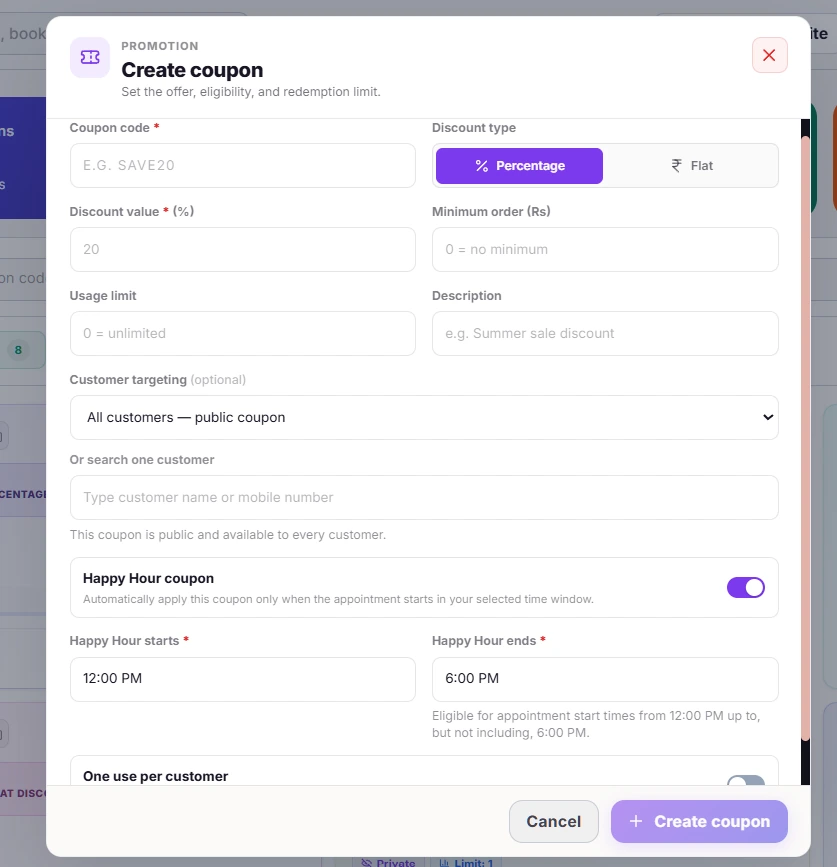
Keep salon promotions organised instead of managing offers across separate notes. Create and review coupon rules, check usage and control which offers are available to customers.
What you can do
- Manage percentage and flat-value offers.
- Set eligibility, validity and usage limits.
- Review outstanding booking balances in the connected booking and billing screens.
Product screenshots (4)
Referral program settings and performance
Referrals that reward both
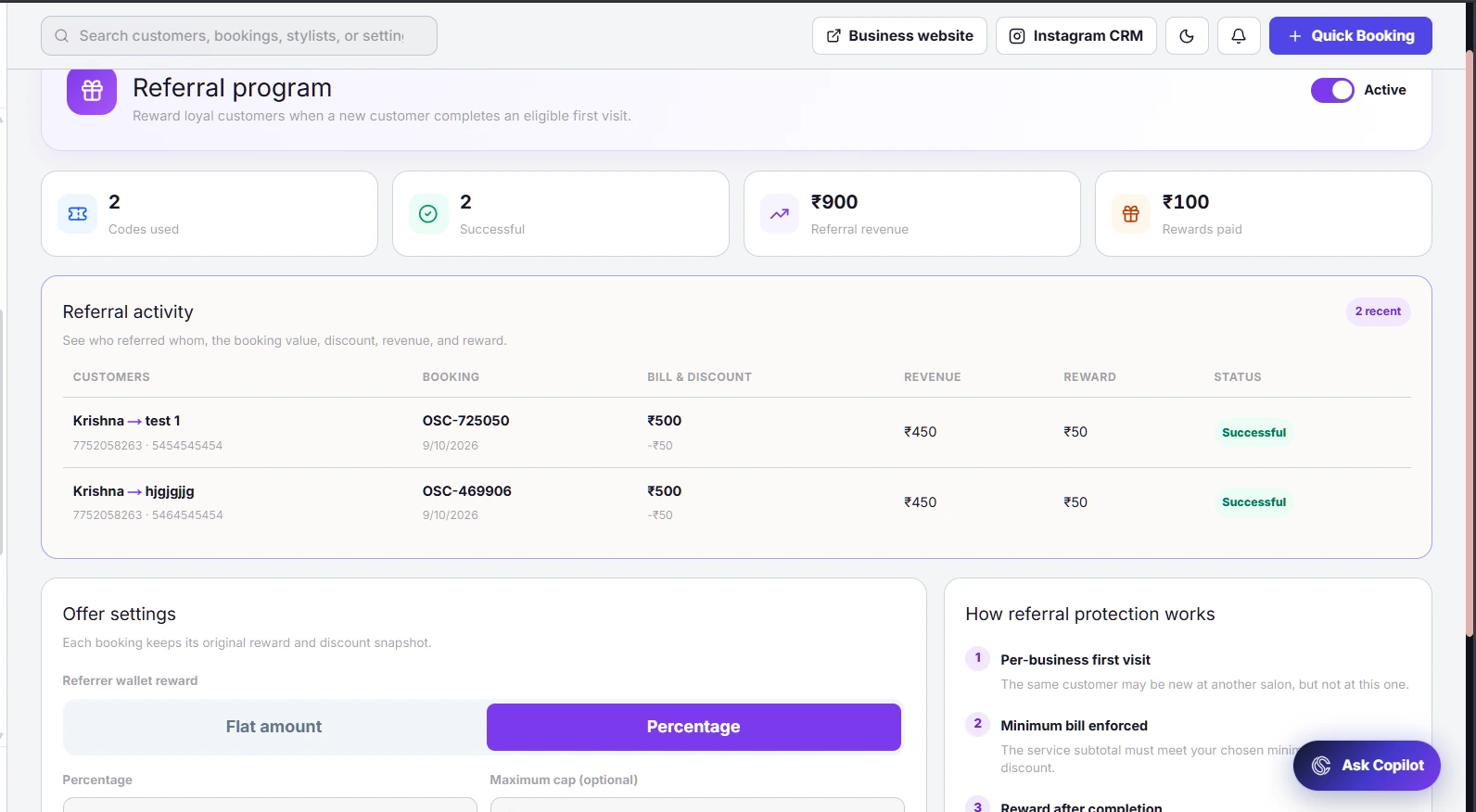
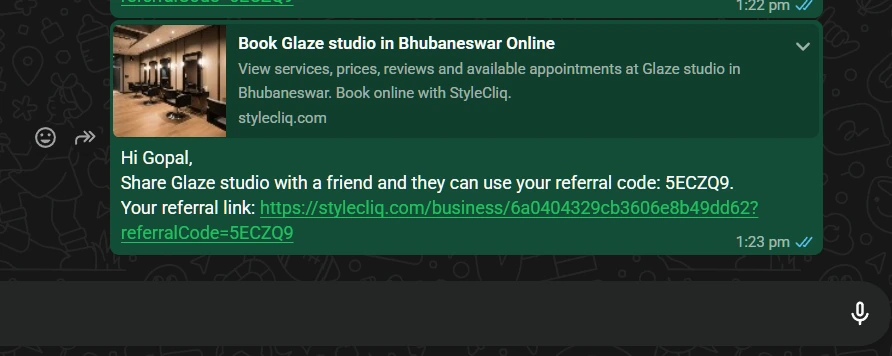
Turn a happy customer’s recommendation into a trackable first visit. Configure the new customer’s discount and the referrer’s reward, then monitor eligible referral activity from the owner dashboard.
What you can do
- Set the referrer reward and first-visit discount.
- Define a minimum qualifying service amount.
- Track code usage, successful referrals and rewards.
Product screenshots (2)
Connected lead management
One place for every lead
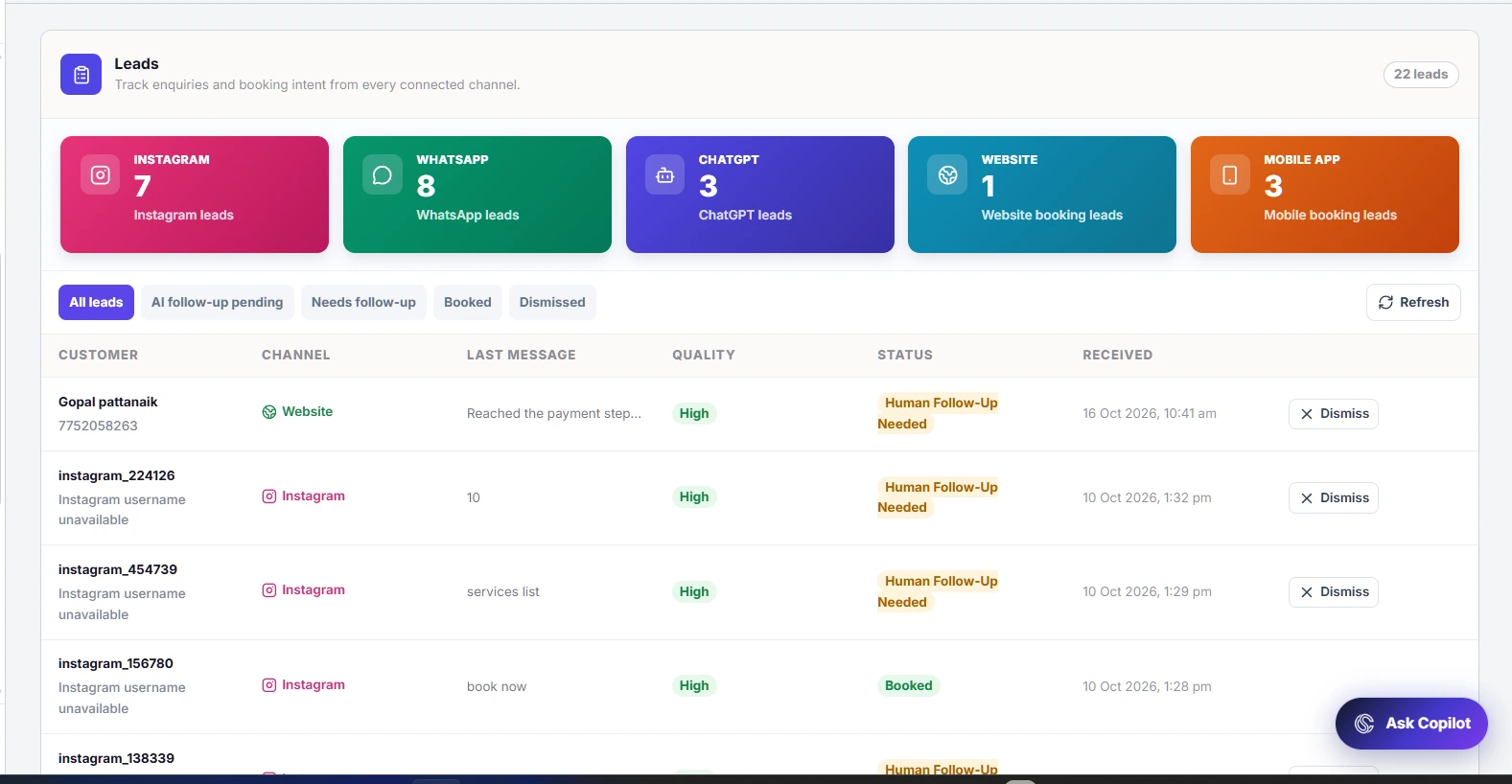
Bring enquiries from supported, connected channels into a shared lead view. See where an enquiry came from, what the customer is interested in and which conversations need a follow-up.
What you can do
- Identify the source of each enquiry.
- Review the customer’s service interest and lead status.
- Follow up through the relevant connected channel.
Product screenshots (1)
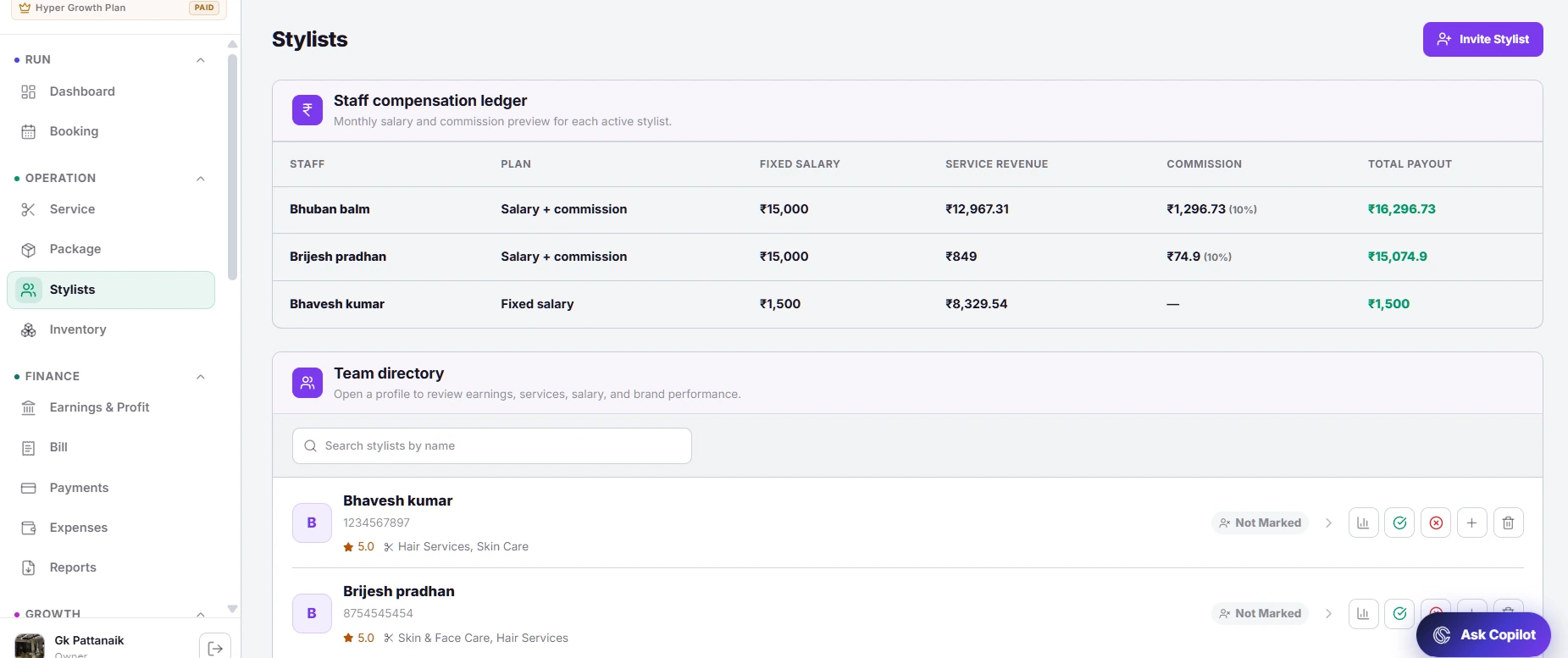
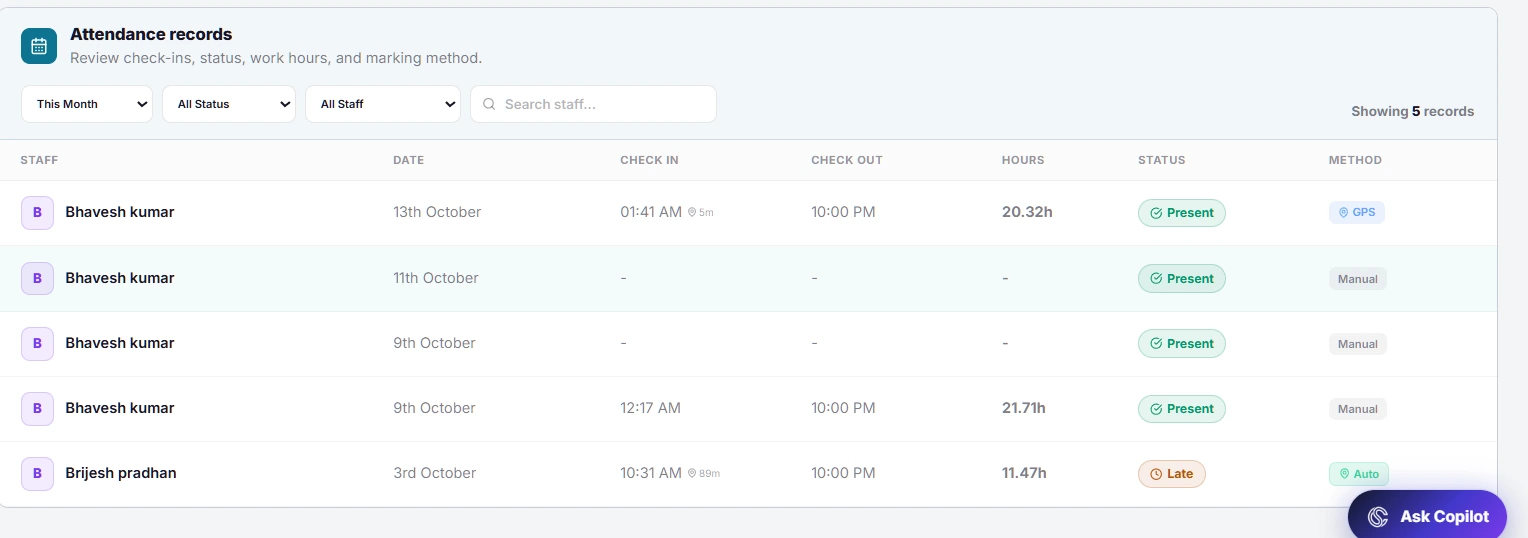
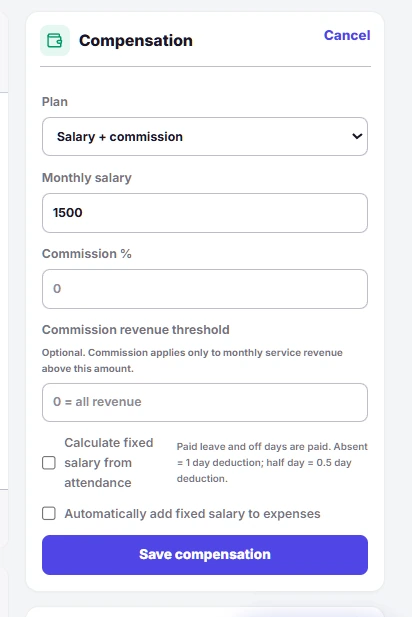
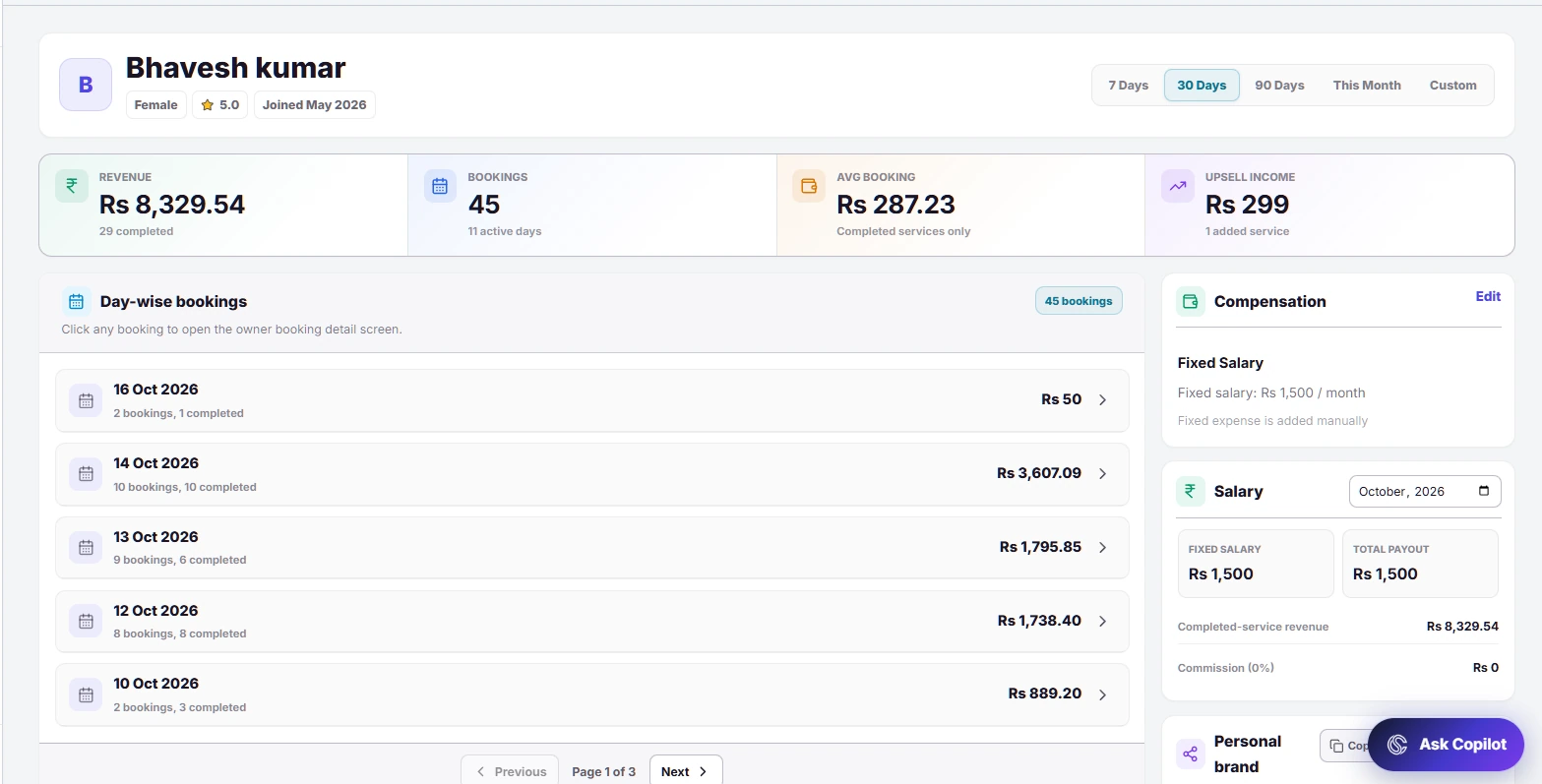
Stylist directory, attendance and earnings
Staff attendance & payroll
Keep your team directory and daily attendance close to the work they perform. Use stylist profiles and earnings records to review service activity, compensation and salary history.
What you can do
- See the active team and attendance status.
- Review individual stylist service activity and earnings.
- Support salary and commission workflows with connected records.
Product screenshots (4)
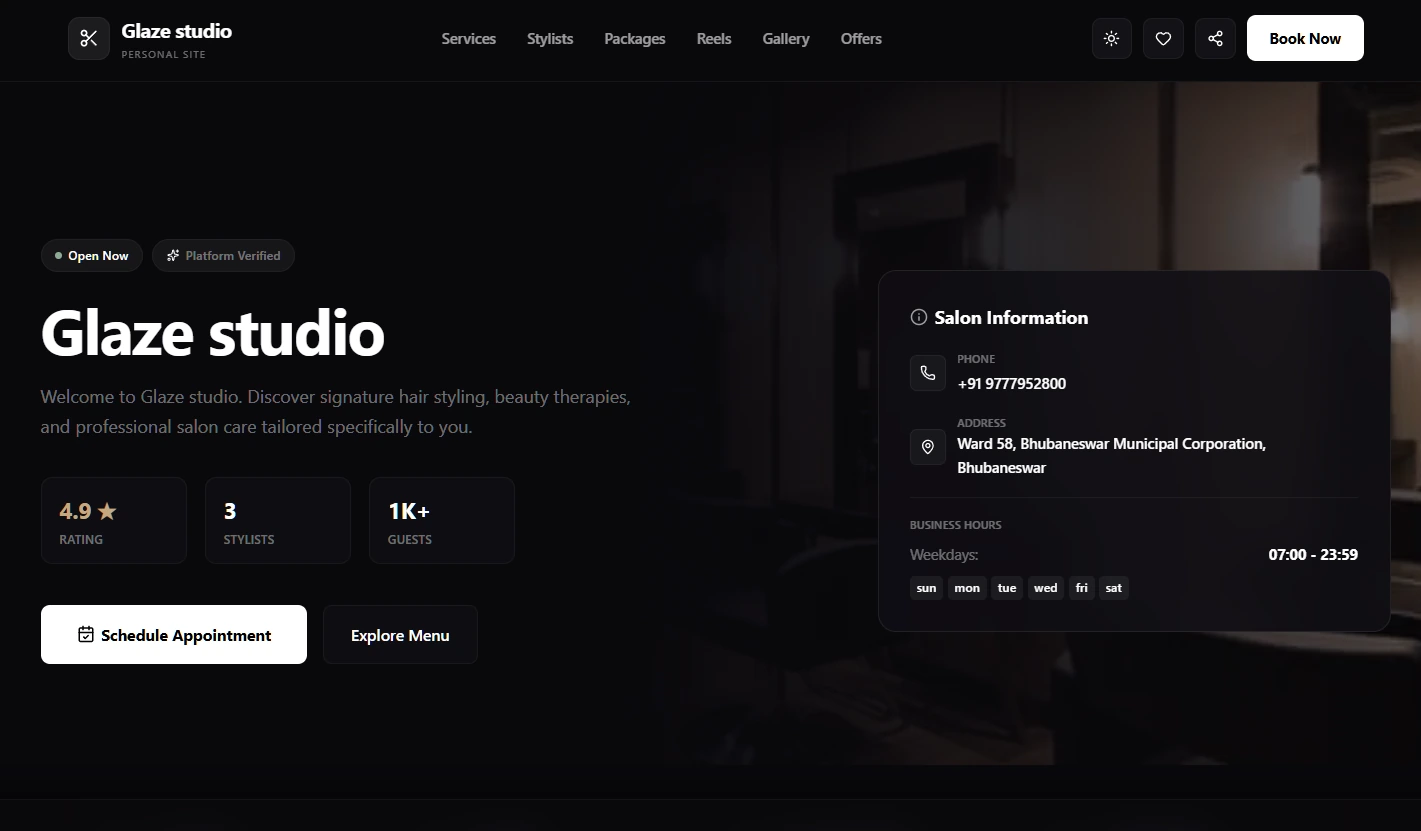
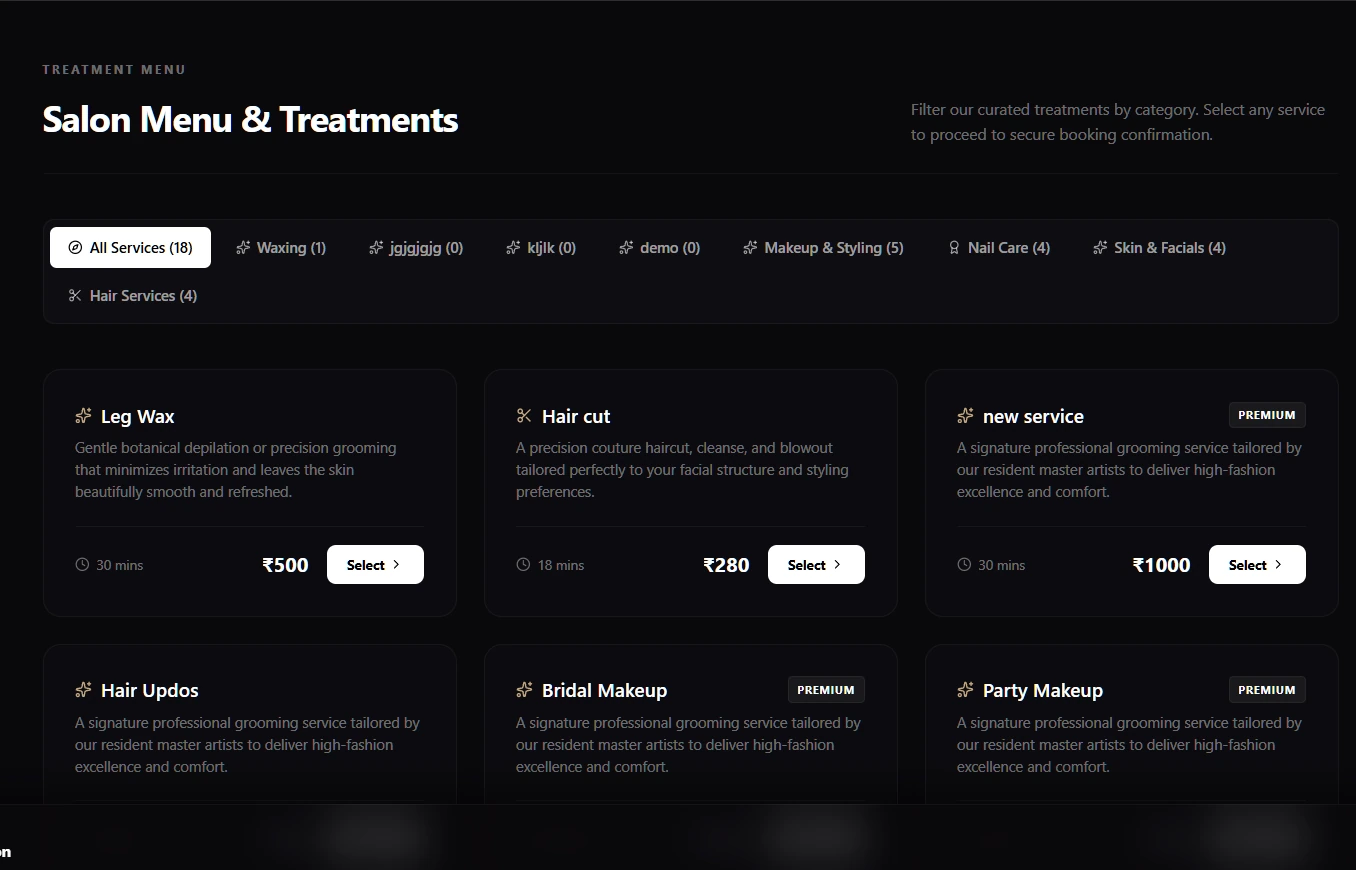
Public salon website
Your own business website
Give clients a dedicated place to discover your salon and book a visit. Your public website brings your salon identity, services, team and booking journey together in a shareable destination.
What you can do
- Show your services, stylists and salon information.
- Let customers explore the salon before booking.
- Share your website from social profiles and campaigns.
Product screenshots (3)
Instagram CRM and marketing setup
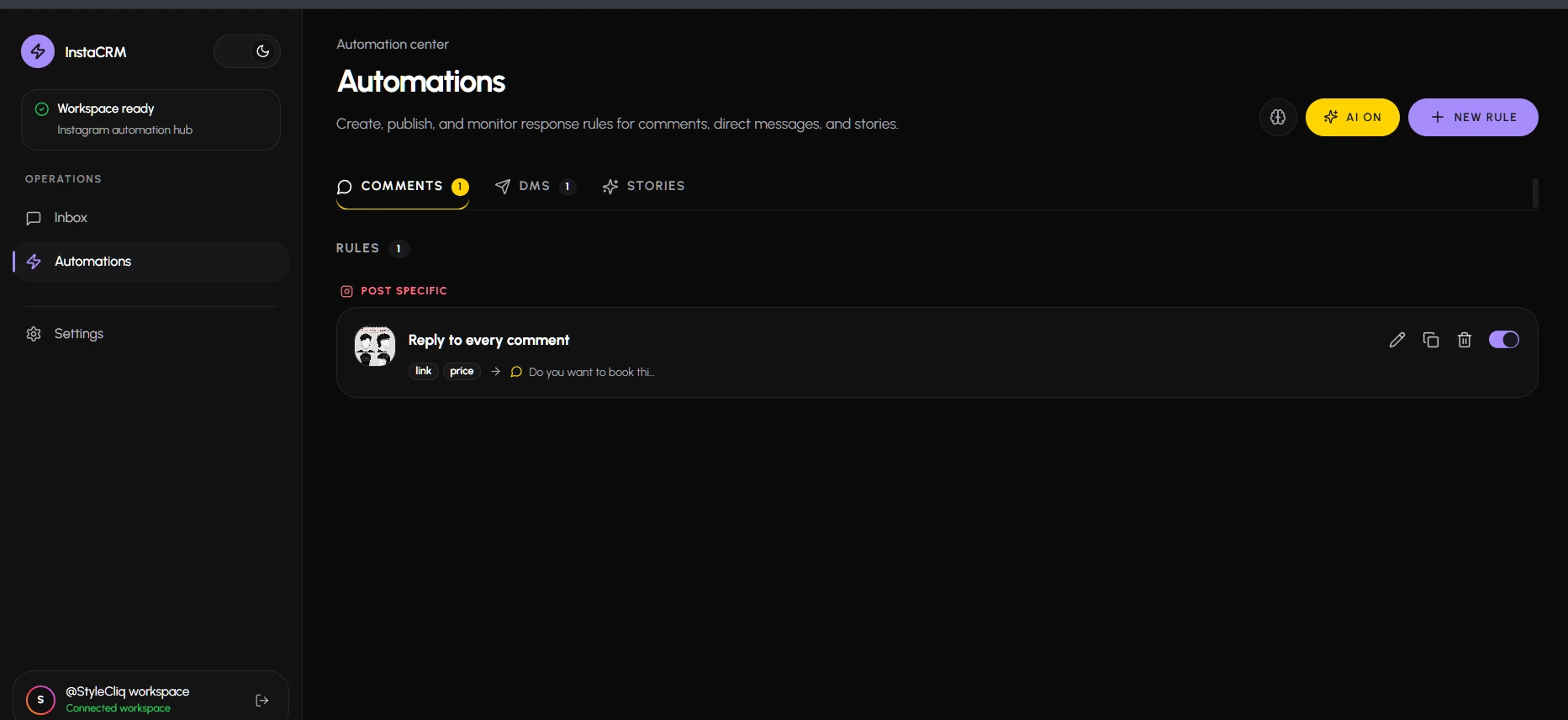
Instagram automation
Connect an Instagram Professional account and manage its automation rules from Instagram CRM. The automation workspace brings comment, direct-message and story workflows together, with controls for each published rule.
What you can do
- Organise rules for comments, direct messages and stories.
- Configure post-specific responses and booking prompts.
- Review, edit and enable the automation rules your team needs.
Product screenshots (2)
Earnings, costs and profitability
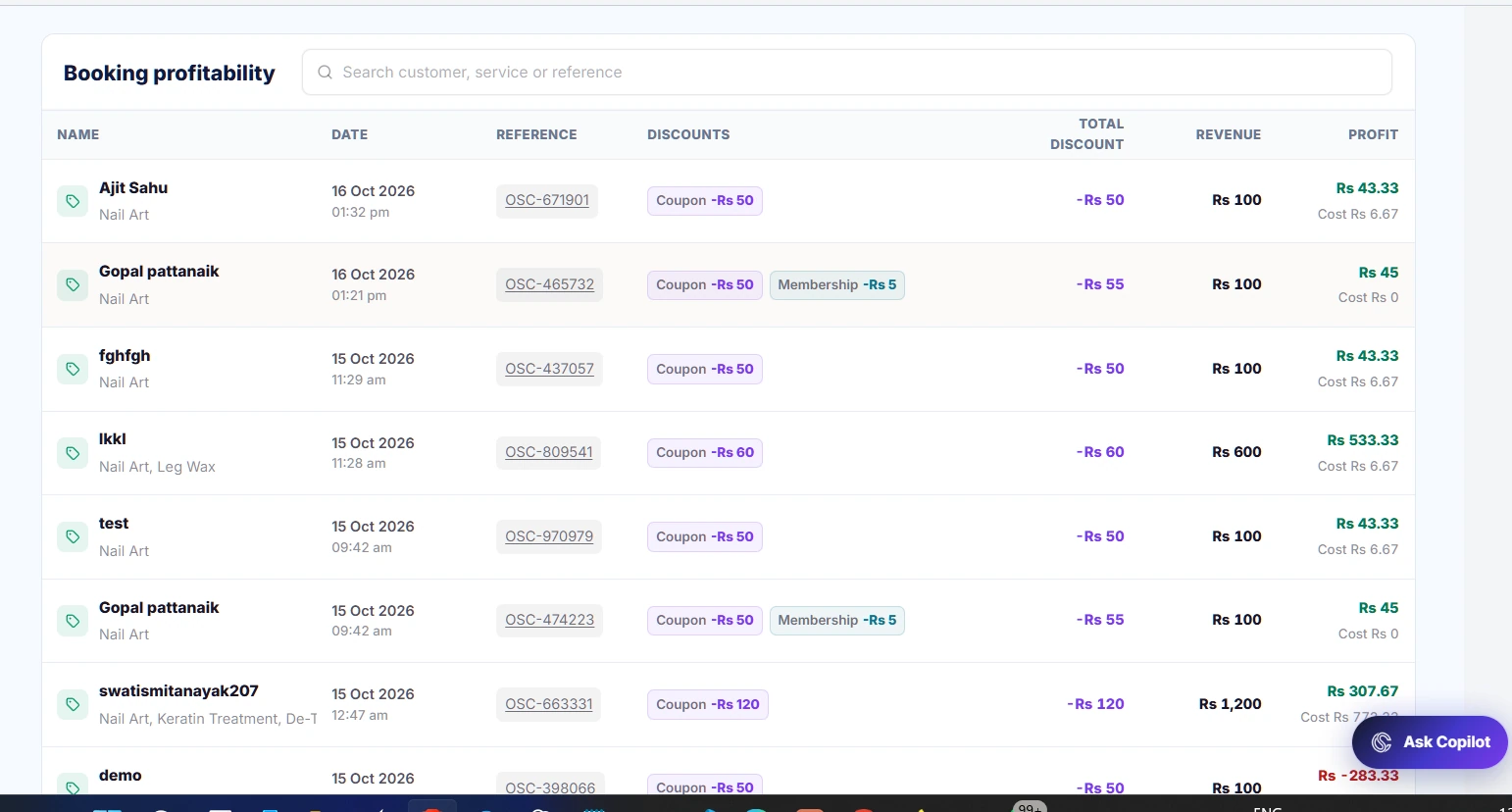
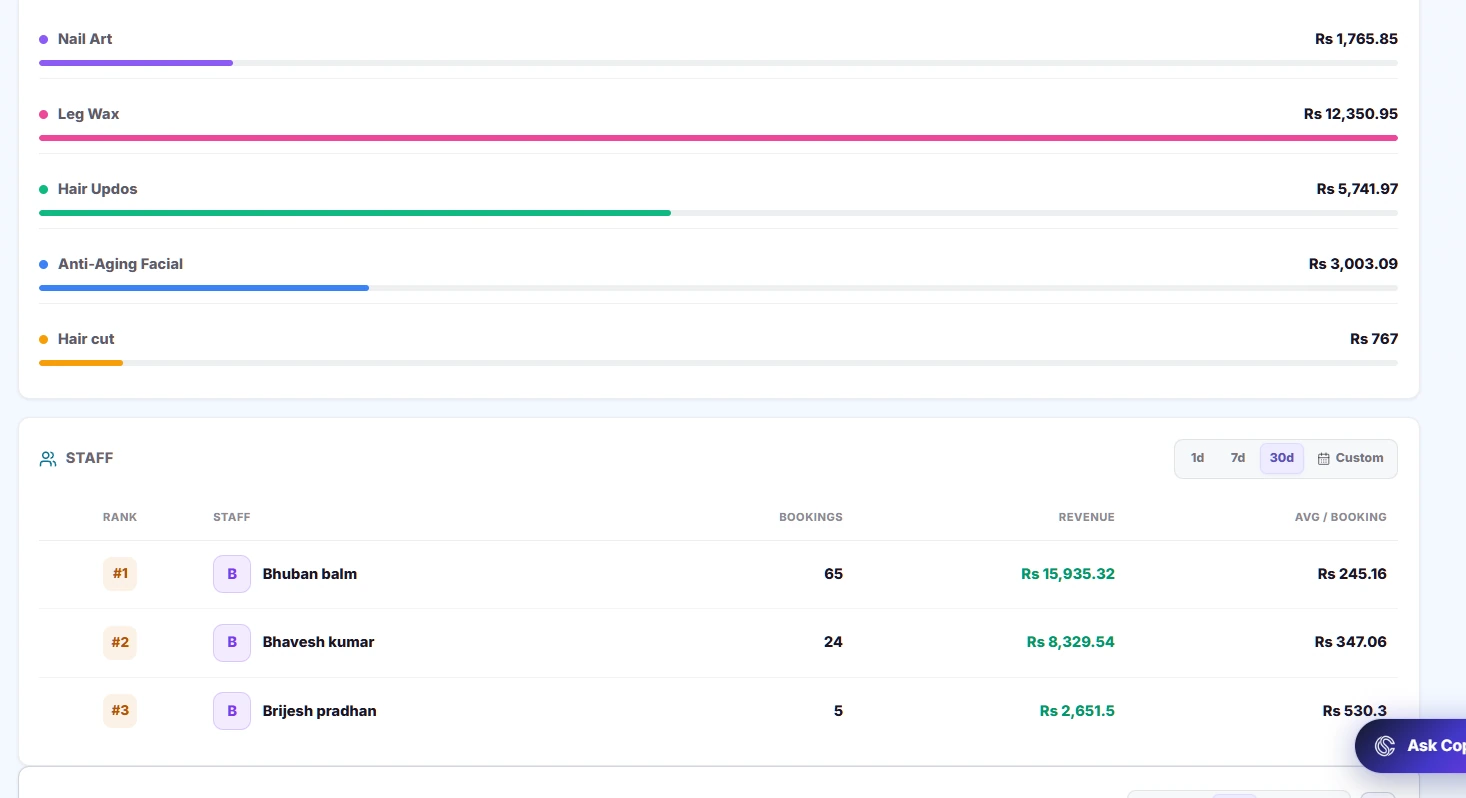
Service-wise profitability
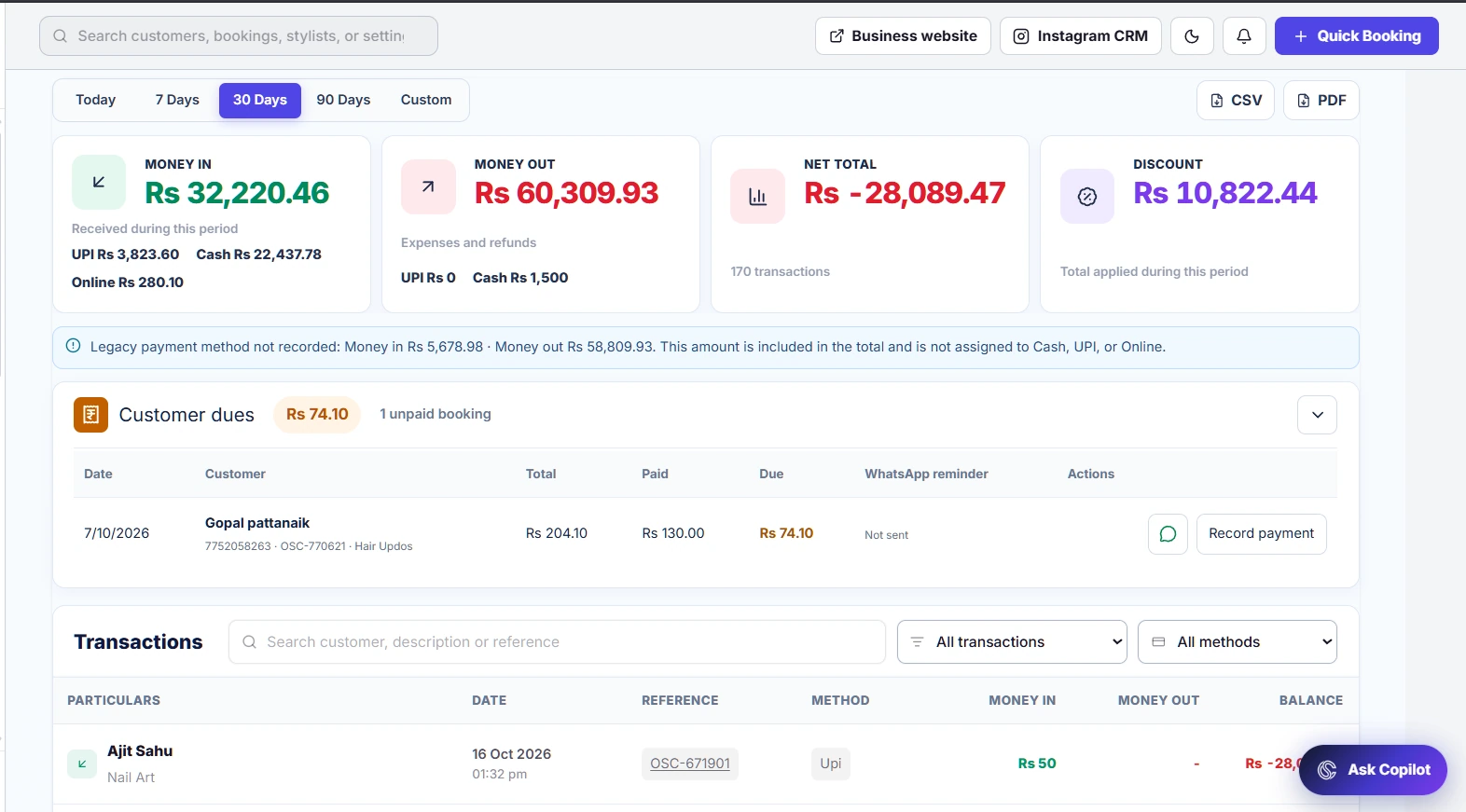
Look beyond the booking total to understand what your salon earns. Review connected revenue, costs and booking profitability over a selected period to see which work contributes to the business.
What you can do
- Compare earnings and costs for the selected period.
- Review booking-level profitability and payment records.
- Use mapped product costs to make service margins more meaningful.
Product screenshots (4)
Service product mapping
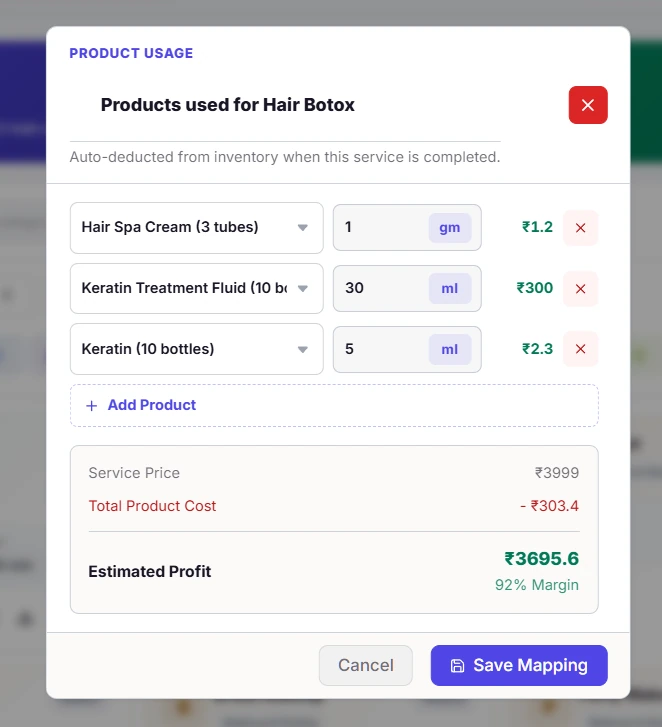
Product usage by service
Connect the products used in a treatment to the service itself. Define quantities and units so inventory usage and product costs can follow the service workflow instead of relying on separate manual notes.
What you can do
- Choose inventory products for each service.
- Define the quantity used for a treatment.
- Keep product usage connected to inventory and cost tracking.
Product screenshots (1)
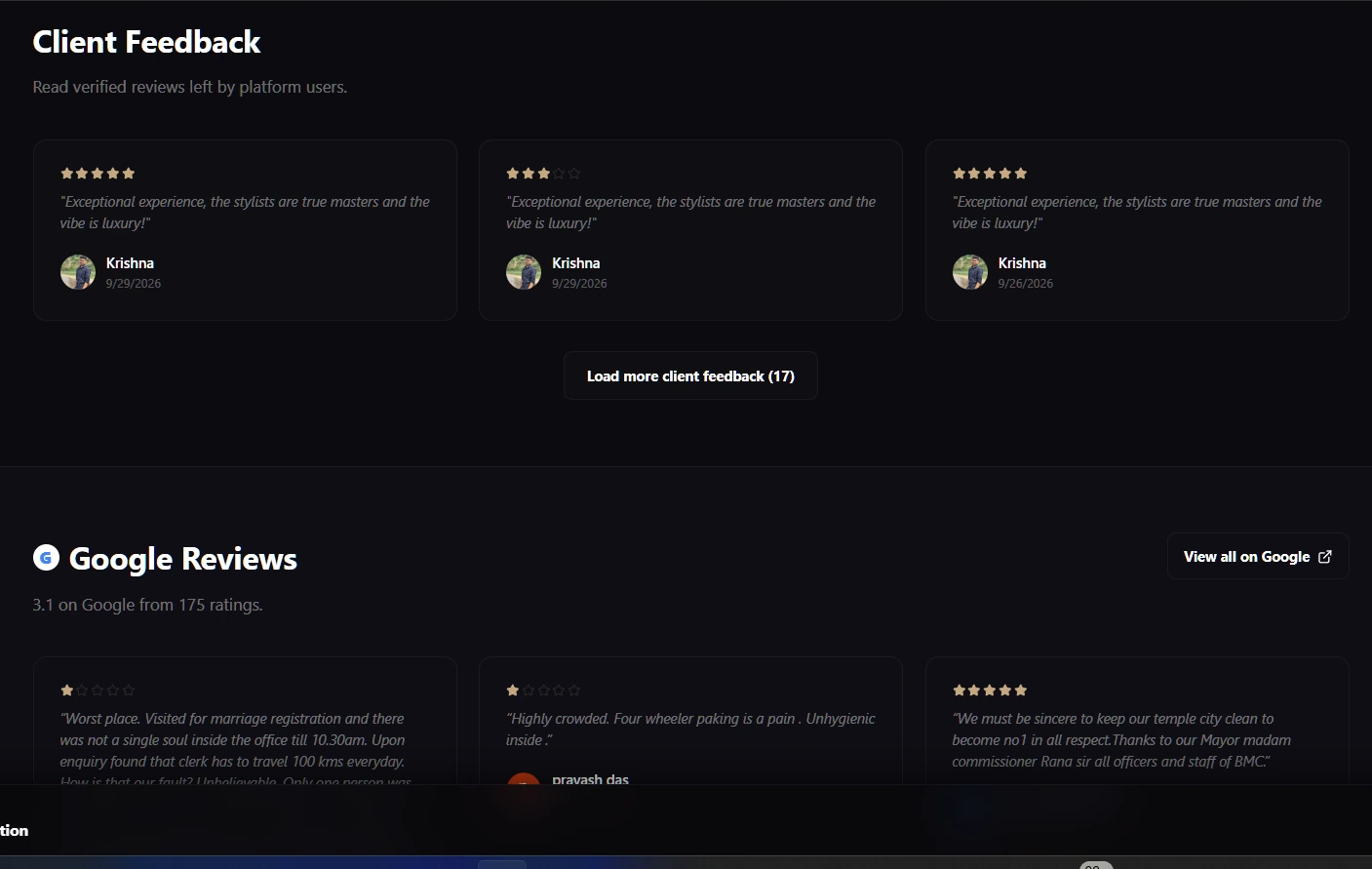
Salon review management
Reviews & social connections
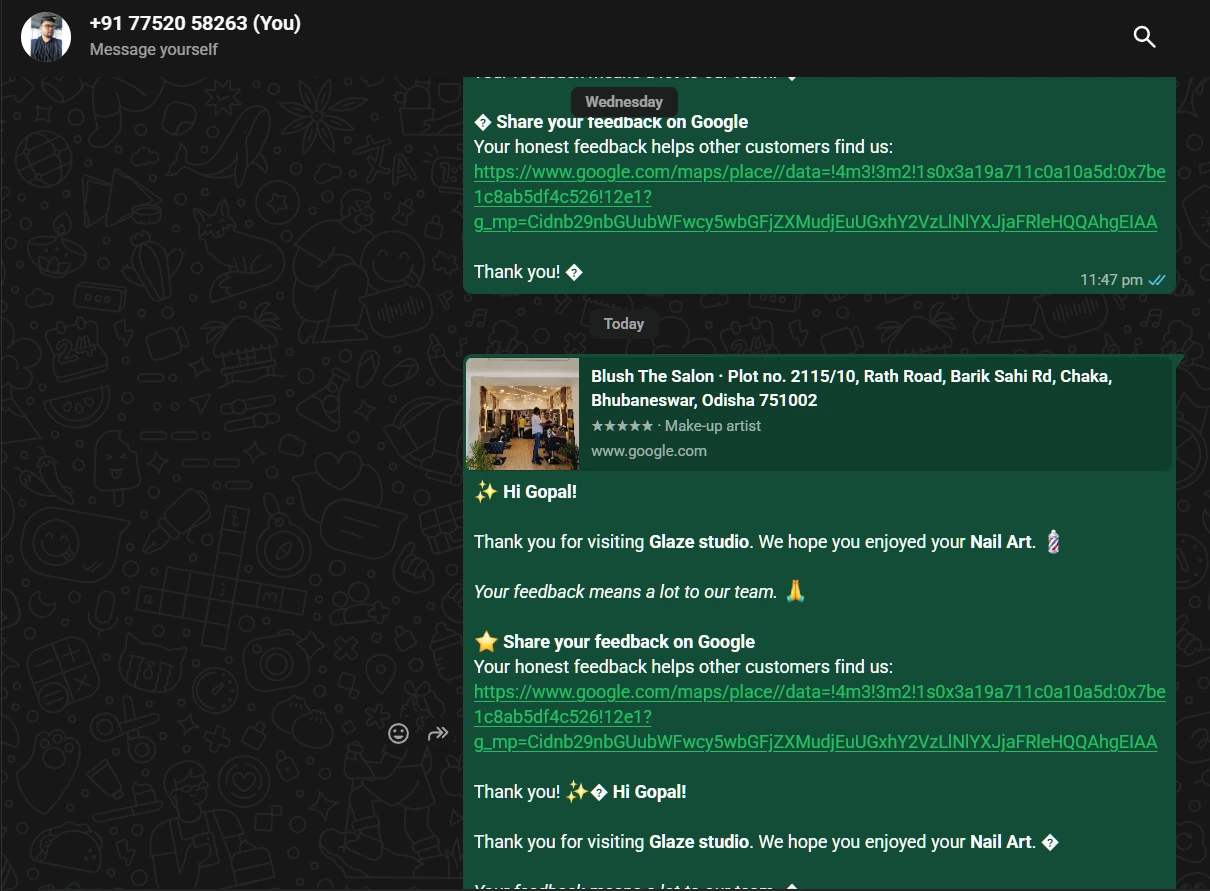
Keep customer feedback visible to the team and make your public review and social destinations easy to share. Use reviews alongside visit history to understand what clients value and where service can improve.
What you can do
- Review customer ratings and written feedback.
- Use your Google review link in customer follow-ups.
- Invite clients to stay connected with your salon on Instagram.
Product screenshots (3)
Shareable service booking links
Share a service booking
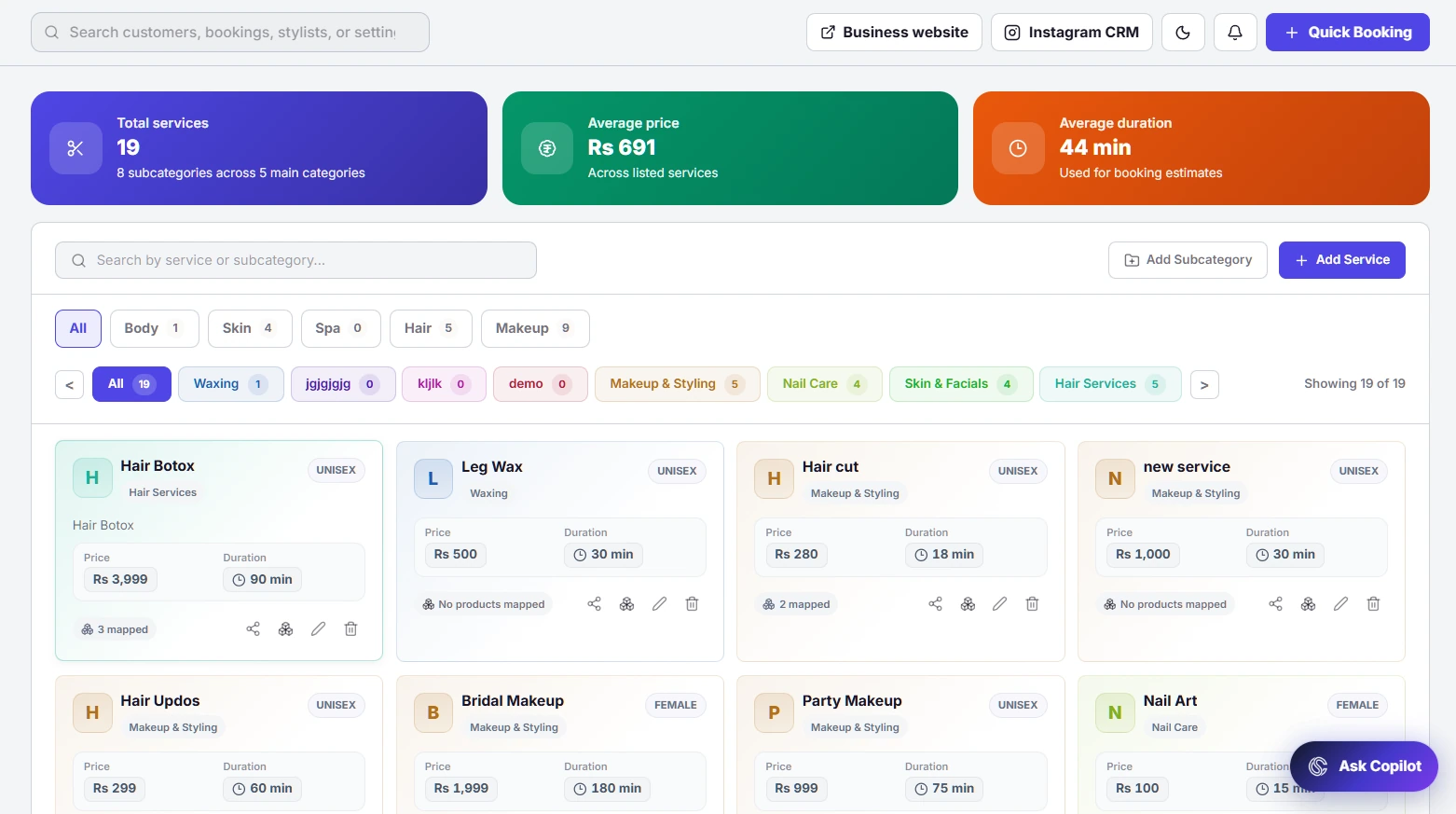
Promote a specific treatment with a direct booking link. Copy the link from your service catalogue and use it in social posts or customer conversations so clients can start with the service they want.
What you can do
- Create a booking link for an individual service.
- Copy the link directly from the service card.
- Share it on social channels or in a message.
Product screenshots (2)
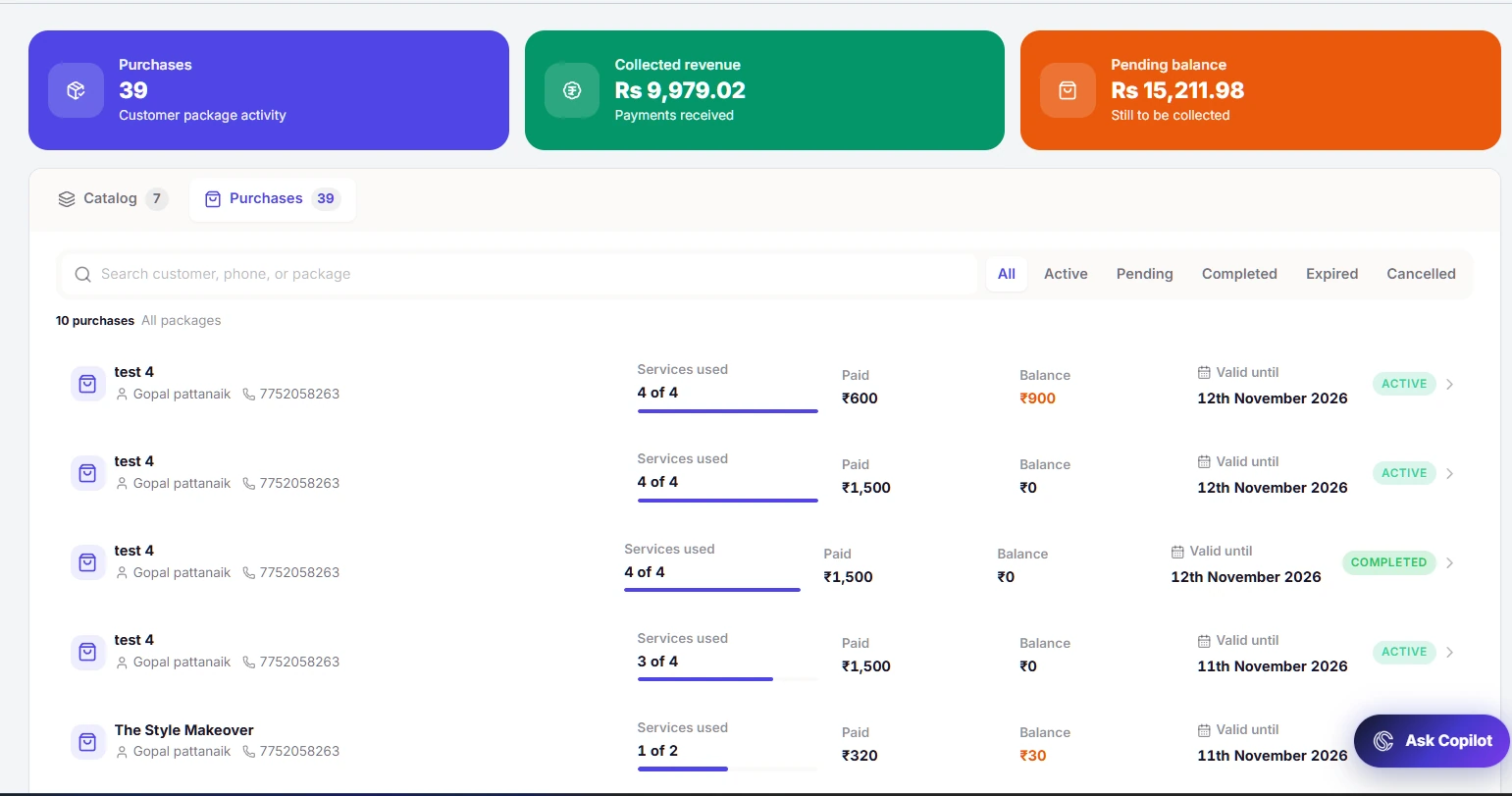
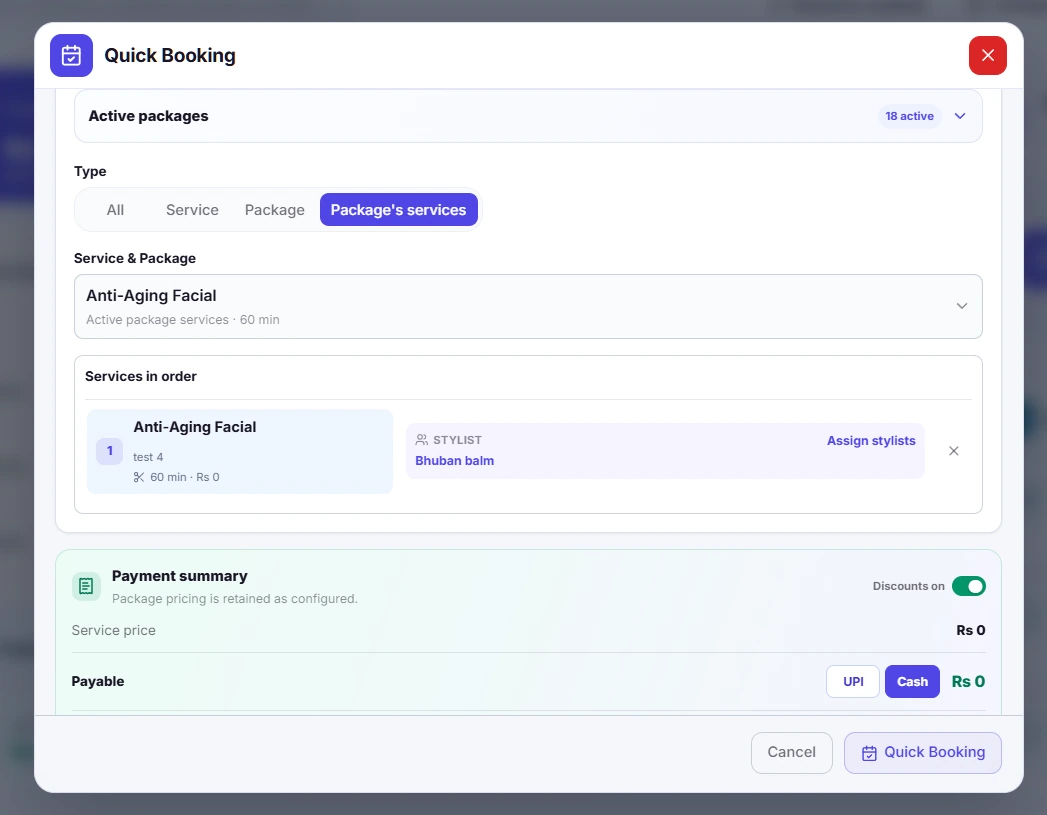
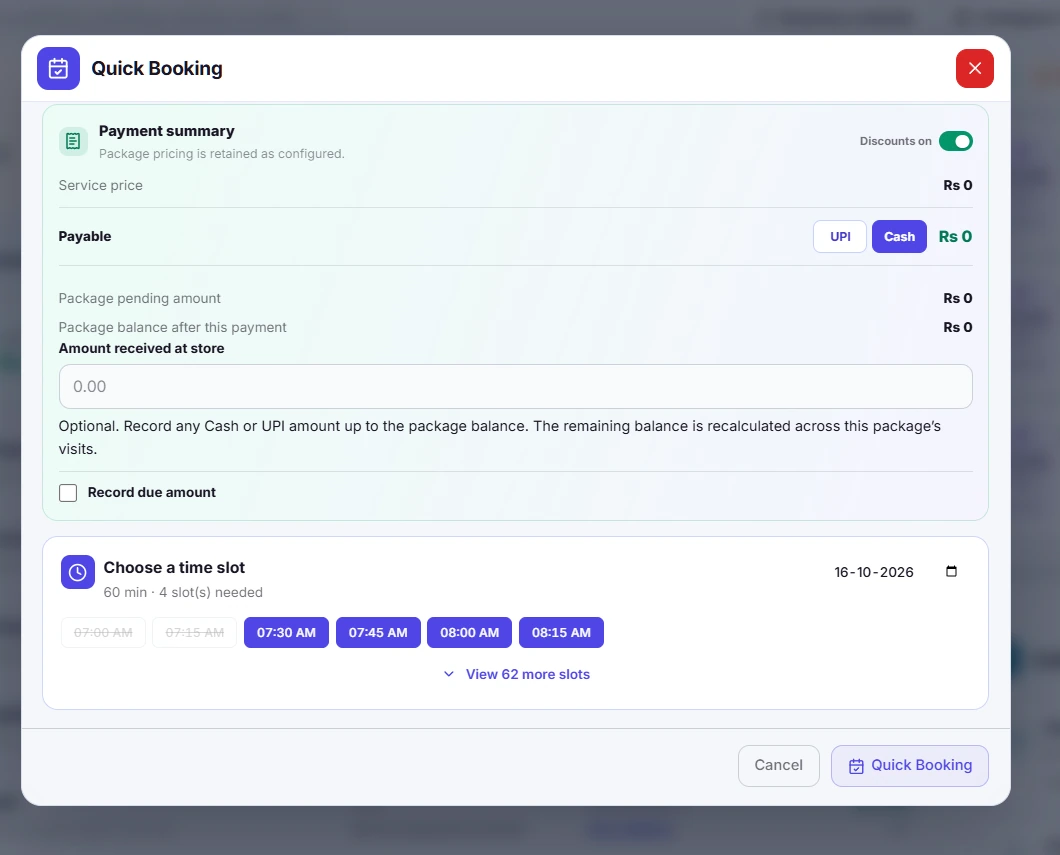
Service package subscriptions
Flexible service packages
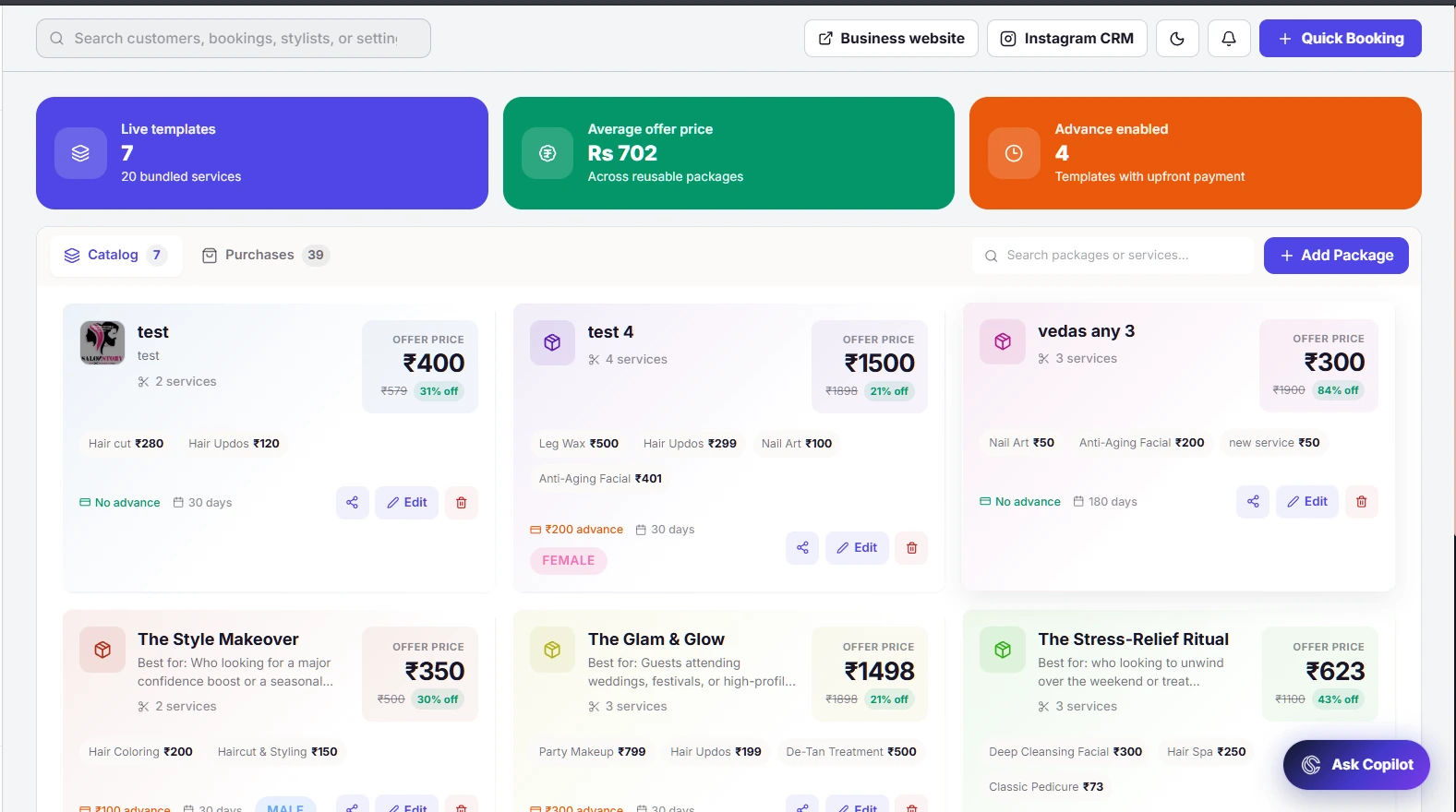
Bundle multiple services into a package and keep the customer’s purchase, payments and remaining visits together. Track redemptions and expiry so the front desk can see what a client still has available.
What you can do
- Combine services and quantities into a package.
- Track advance collections and pending payments.
- Review expiry dates and used or remaining services.
Product screenshots (8)
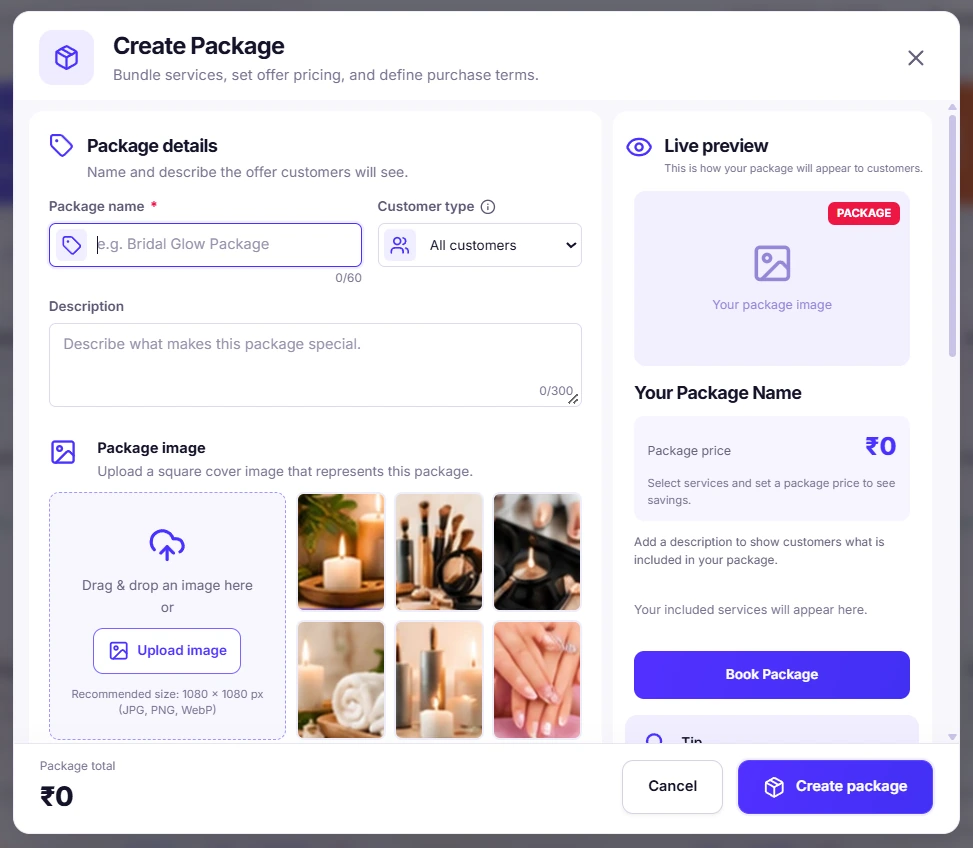
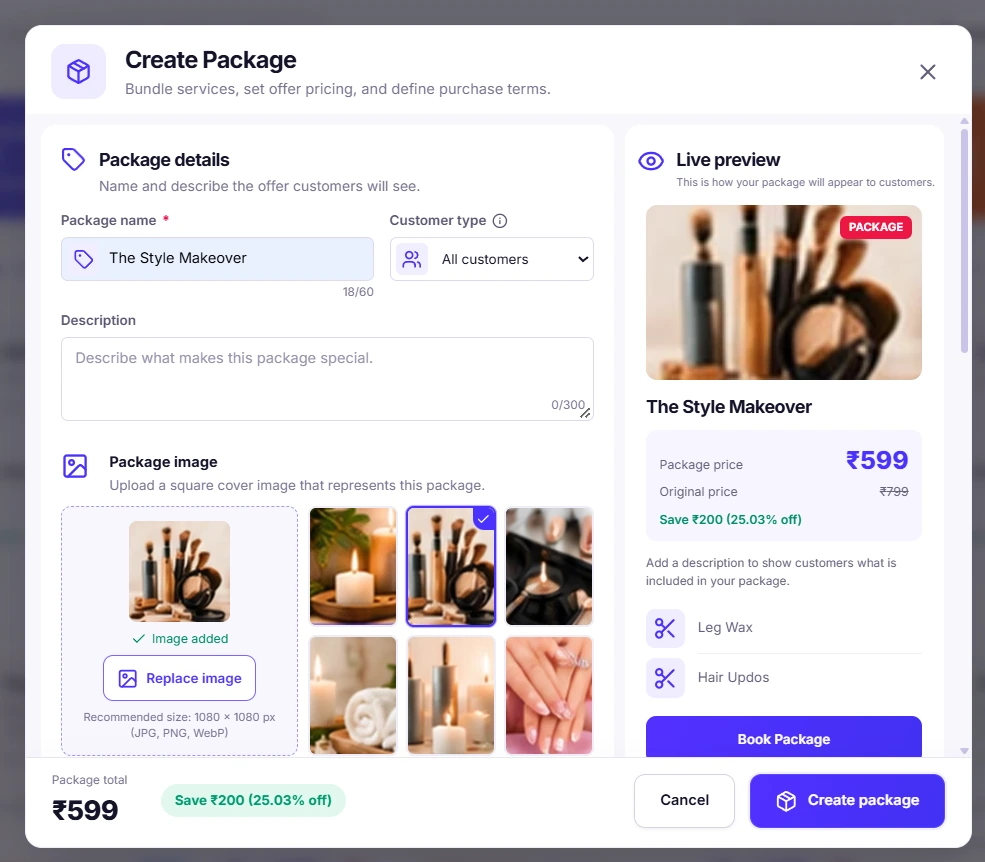
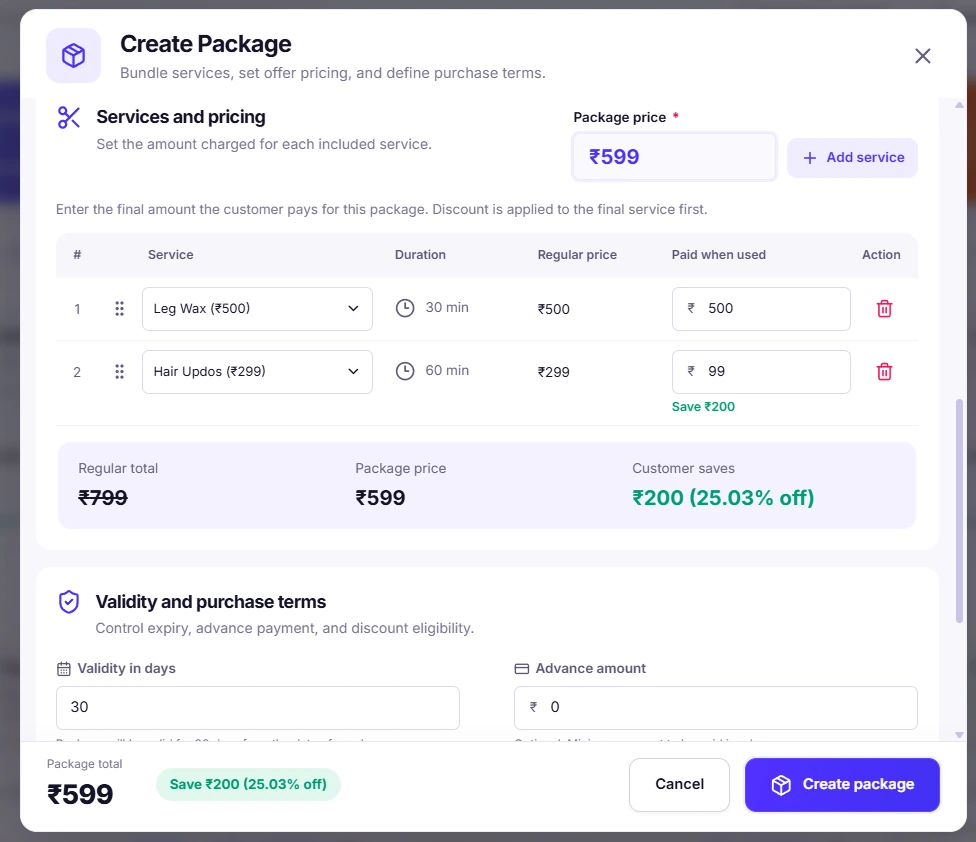
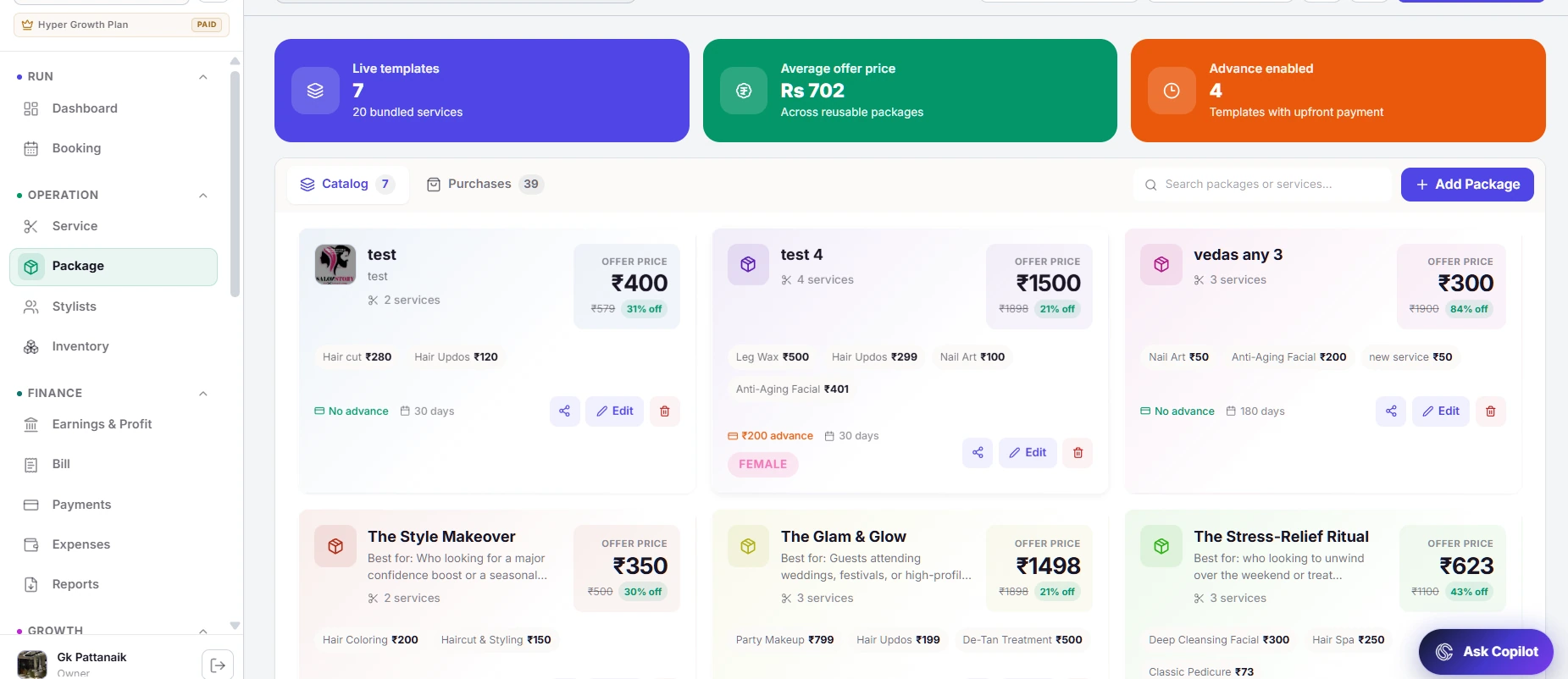
Inventory and stock management
Inventory on autopilot
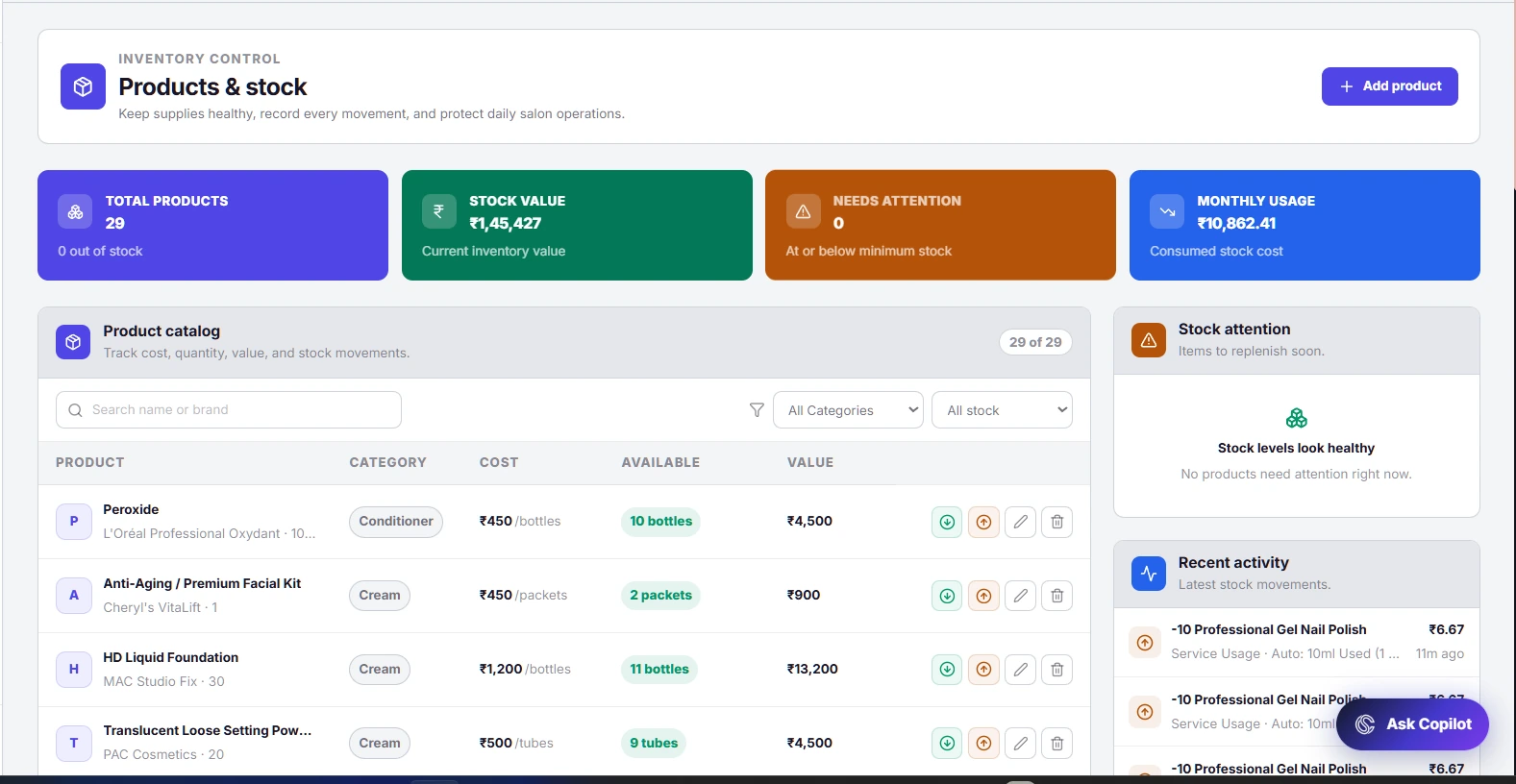
Keep salon stock connected to the services that consume it. Manage products and stock movements, then use service mappings to support automatic usage tracking and better replenishment decisions.
What you can do
- Maintain product quantities, units and costs.
- Record stock additions and adjustments.
- Review low-stock signals and mapped service consumption.
Product screenshots (2)
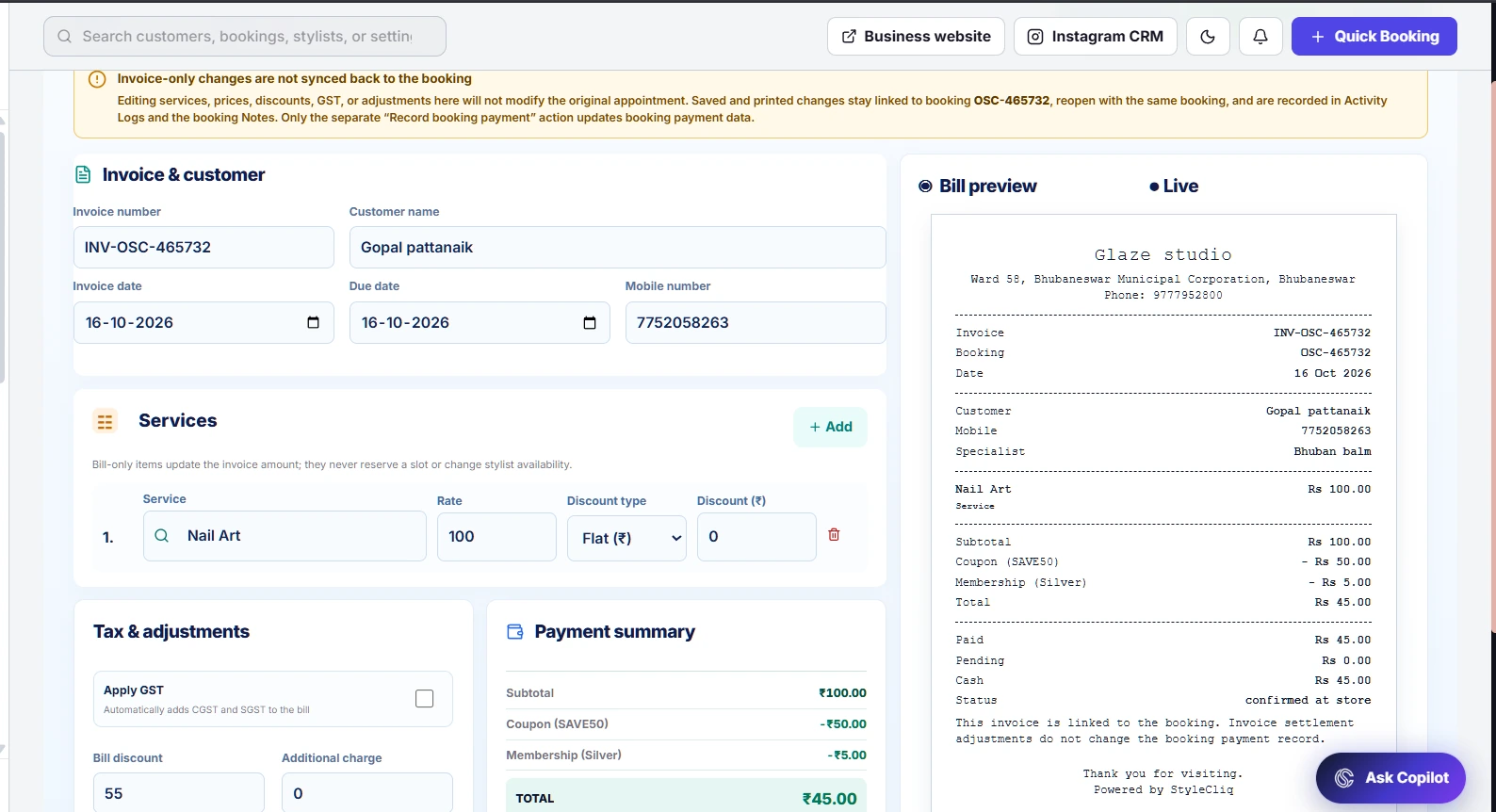
Booking bill and invoice editor
GST & non-GST invoices
Prepare a bill from an existing booking and review its line items, collections and tax treatment. The bill workspace supports editable drafts and GST controls before you print or share the invoice.
What you can do
- Find the booking and load its bill details.
- Review item quantities, prices and payment amounts.
- Apply GST when appropriate, then print or share the bill.
Product screenshots (3)
Payment preferences and refund policies
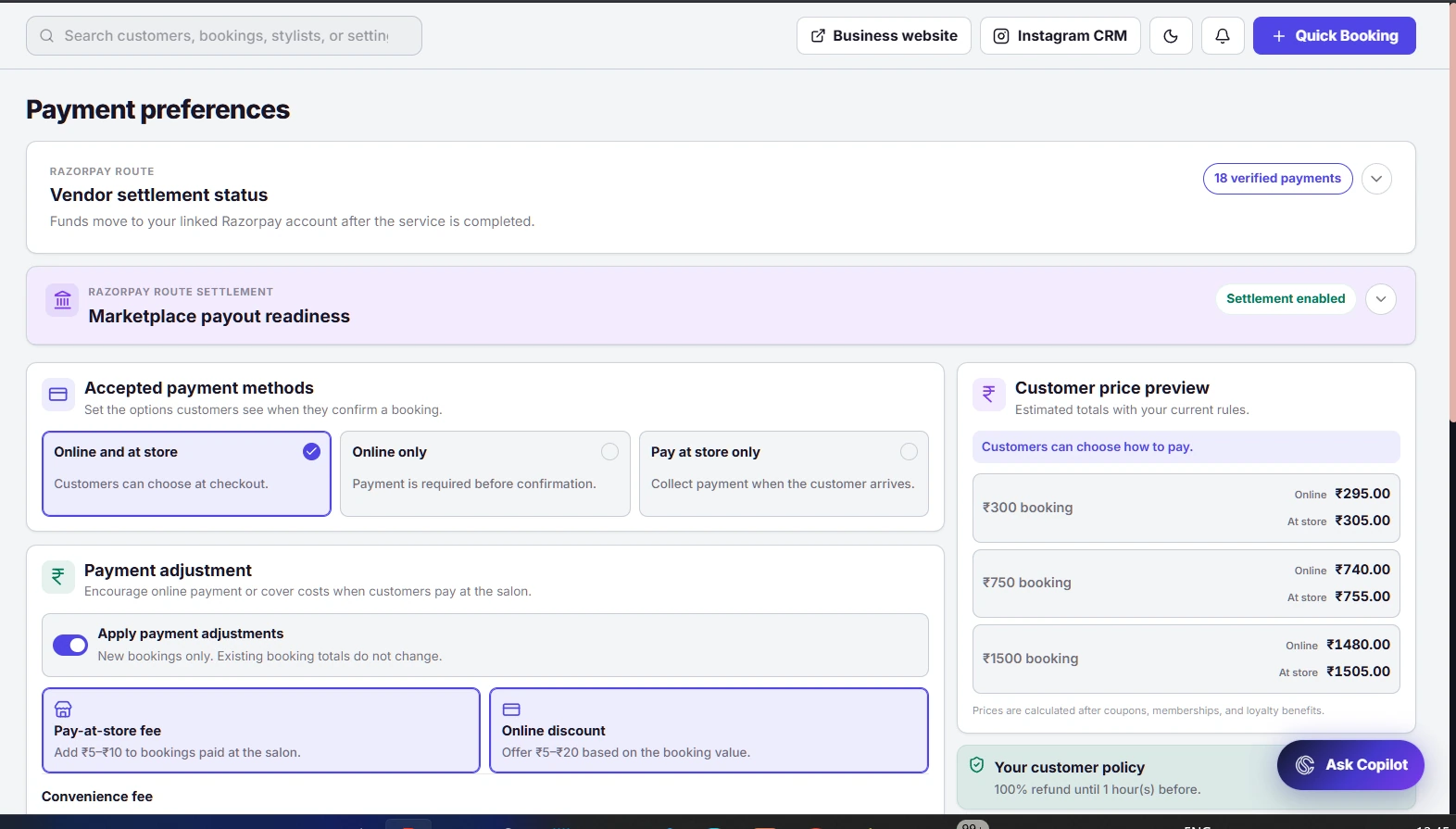
Online & in-store payments
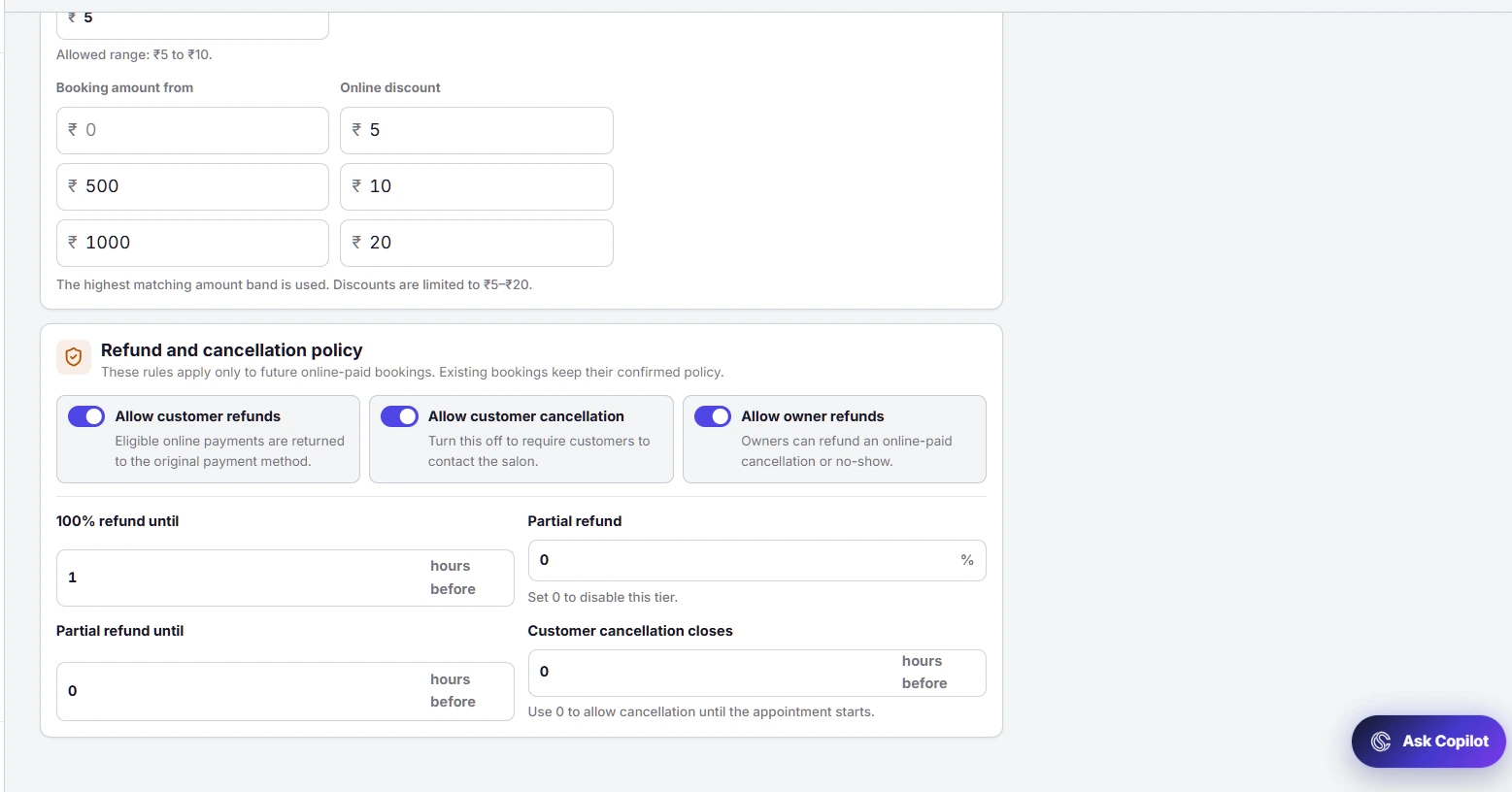
Set how customers pay for their appointments and review the policies behind cancellations and refunds. Manage supported online payment options and at-store collection preferences from the owner workspace.
What you can do
- Configure available online and at-store payment modes.
- Review cancellation and refund settings.
- Access connected payout and Razorpay information.
Product screenshots (3)
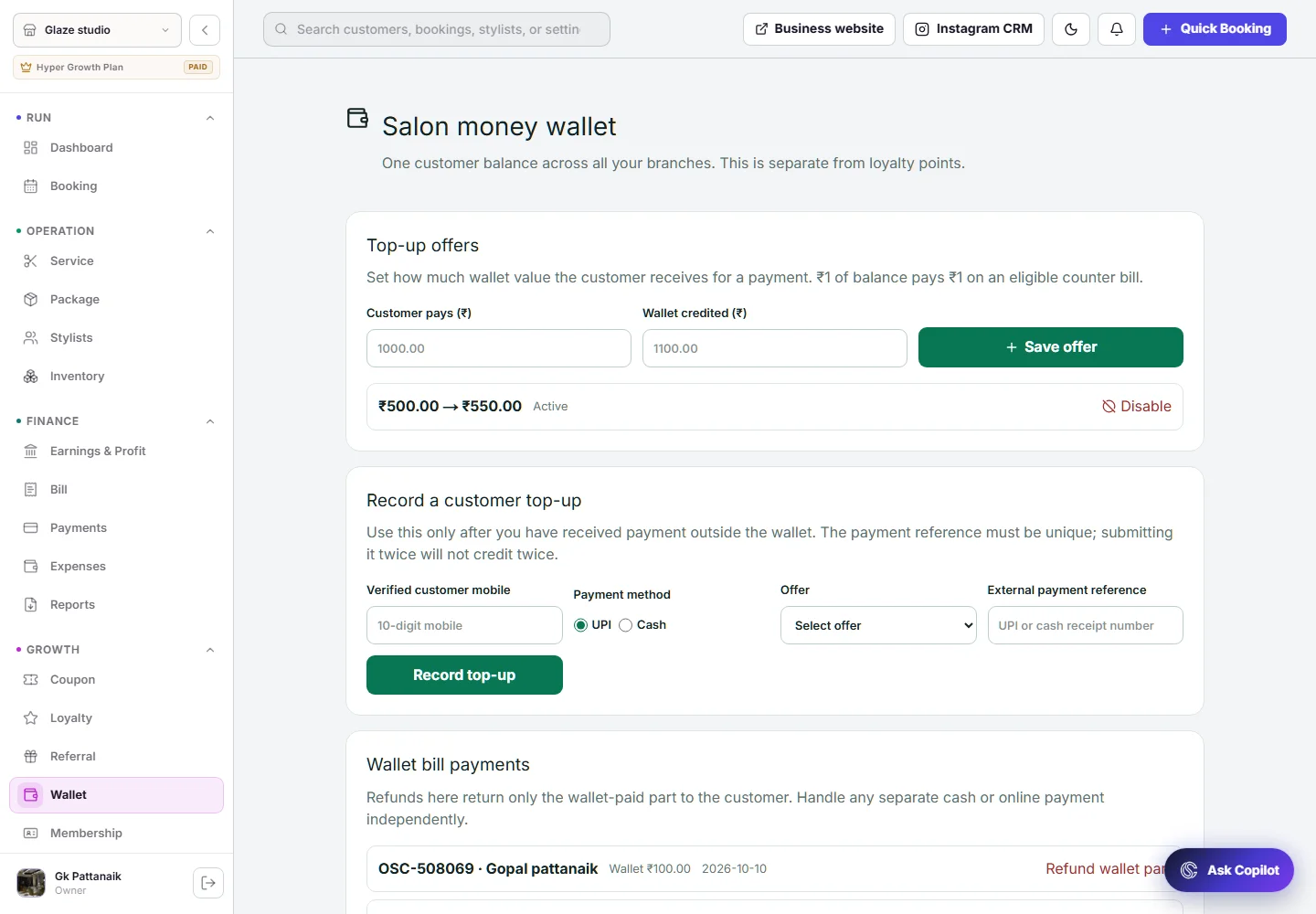
Stored wallet offers and transactions
Customer wallets
Offer prepaid salon credit and keep wallet top-ups and payments traceable. Manage eligible top-up offers and view wallet payment activity, including supported refunds to the original wallet balances.
What you can do
- Create and manage prepaid wallet offers.
- Record customer top-ups and promotional credit.
- Review wallet payments and supported refund actions.
Product screenshots (1)
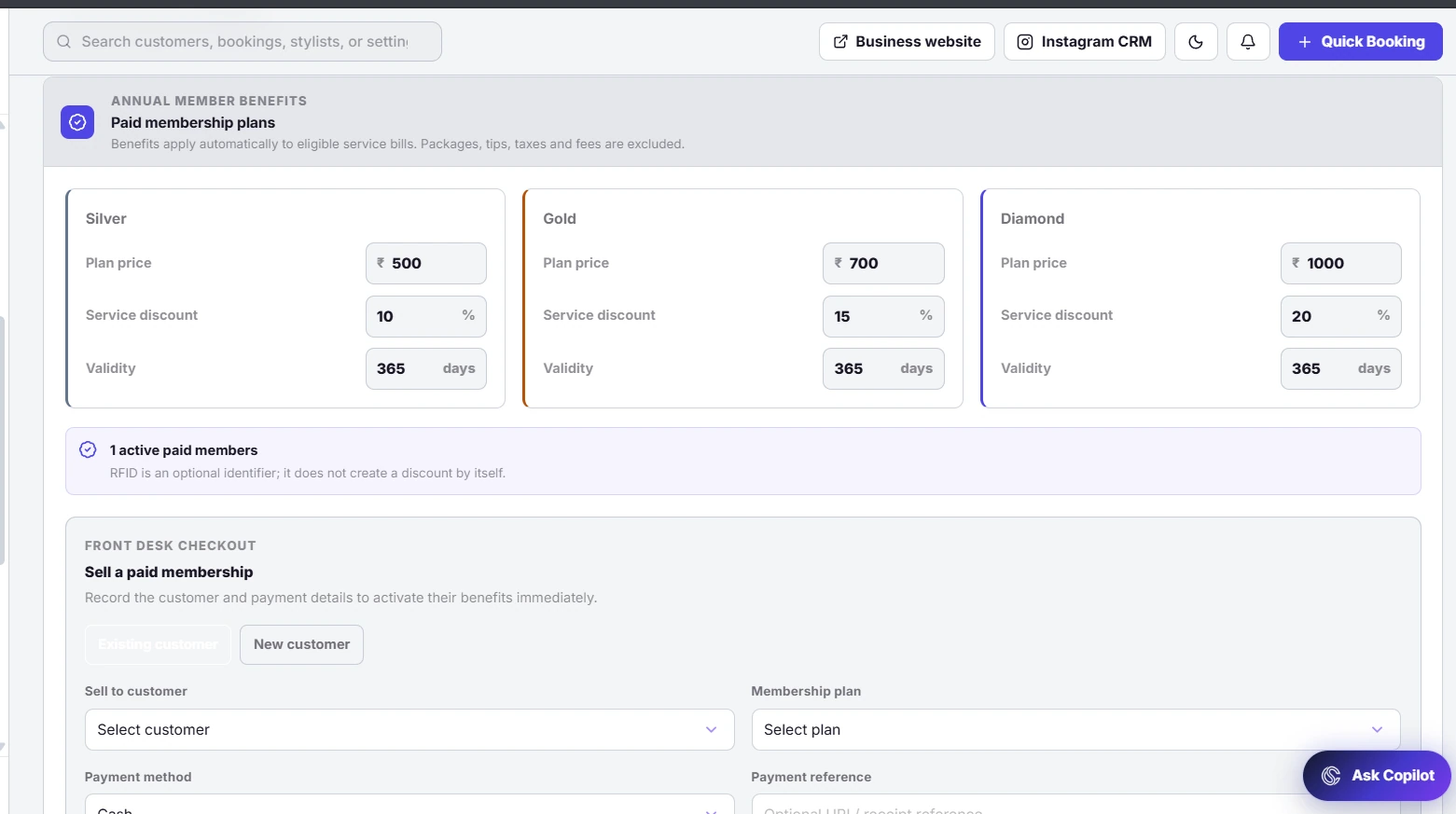
Membership plans and customer access
Memberships made simple
Manage membership benefits as part of the customer relationship. Review plans, subscriptions and member activity in one workspace so the team can check access and benefits before a visit.
What you can do
- Manage membership plans and validity.
- Review customer membership subscriptions.
- Track member benefits, access and redemption activity.
Product screenshots (2)
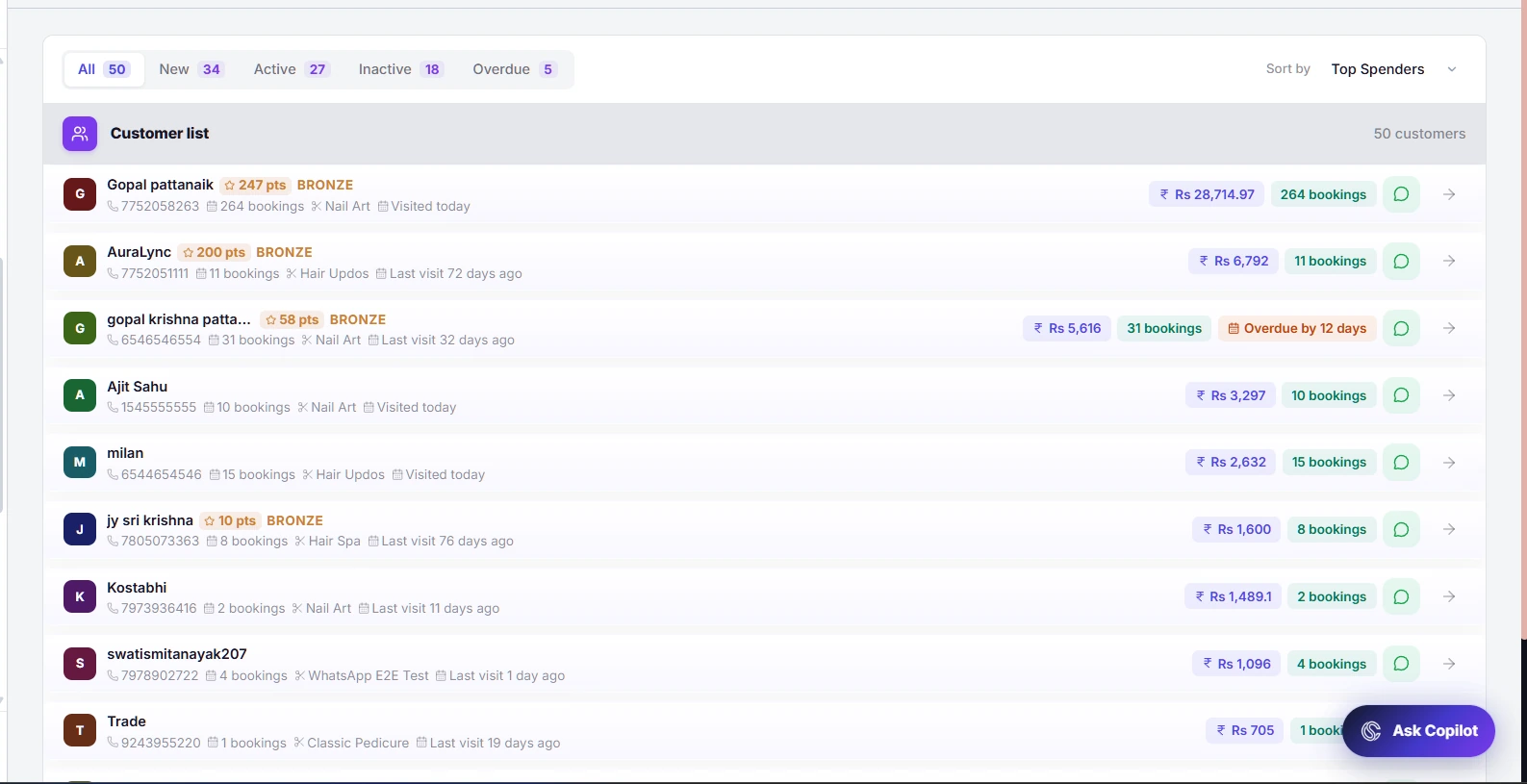
Customer directory and lifecycle filters
A clearer customer view
Understand the people behind your appointments. Use the customer directory to find a client, compare visit and spending information and identify active, inactive or overdue customers who may need attention.
What you can do
- Search and open customer records.
- Filter customers by lifecycle status.
- Review visit frequency, spending and rebooking opportunities.
Product screenshots (2)
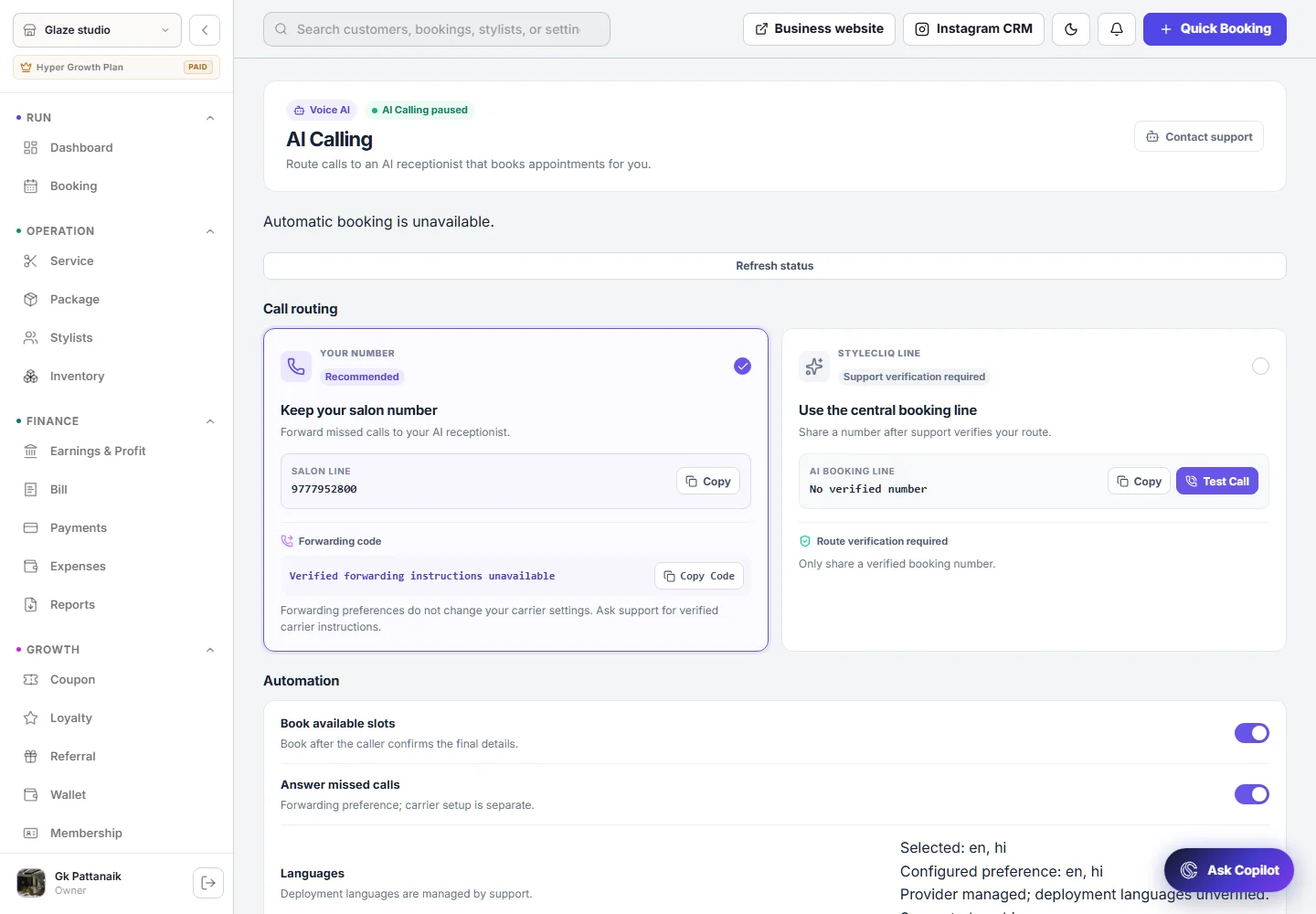
AI receptionist configuration
AI calling assistant
Configure how the AI receptionist supports incoming booking calls. The calling workspace brings the booking line, forwarding preferences and assistant settings together so owners can control the experience.
What you can do
- Review the AI booking line and call setup.
- Configure the available call-handling preferences.
- Pause AI calling when your salon needs to.
Product screenshots (1)
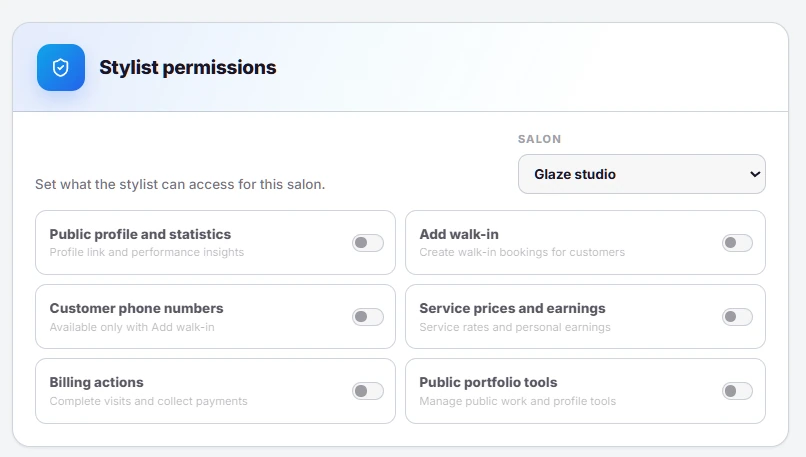
Salon-specific stylist permissions
Stylist access controls
Choose which tools and information stylists can access for a salon. Manage service-price visibility, billing and portfolio permissions, with customer phone visibility tied to the walk-in booking setting.
What you can do
- Control service prices and earnings visibility.
- Manage walk-in, billing and portfolio permissions.
- Apply the available controls for the selected salon and plan.
Product screenshots (1)
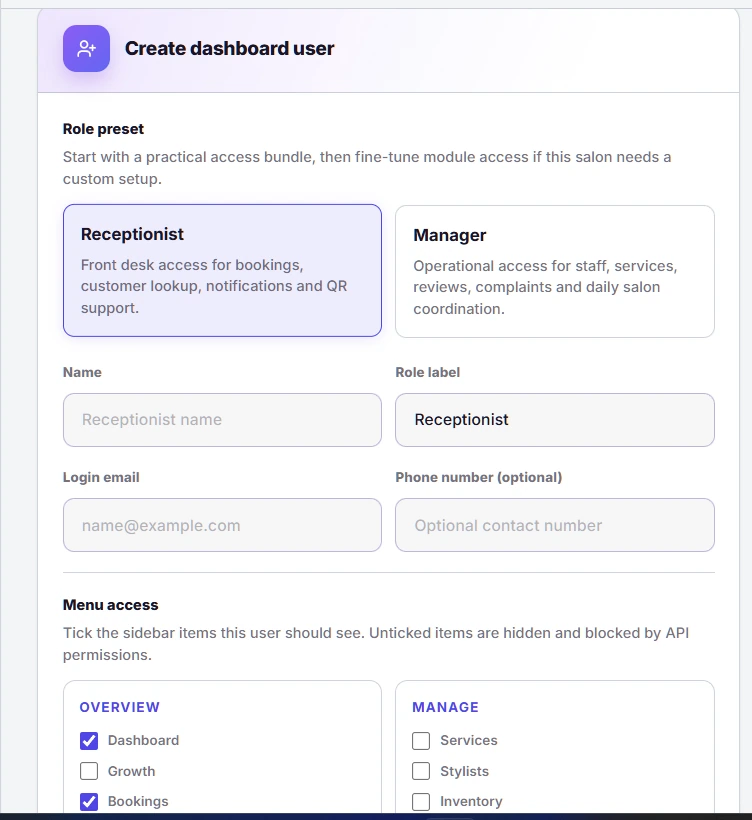
Dashboard roles and module access
Separate team dashboards
Give staff their own dashboard access with a role that matches their responsibilities. Choose the modules and salons available to each dashboard user instead of sharing the owner’s full workspace.
What you can do
- Create separate dashboard user accounts.
- Select the modules each role can use.
- Limit access to the relevant salon locations.
Product screenshots (1)
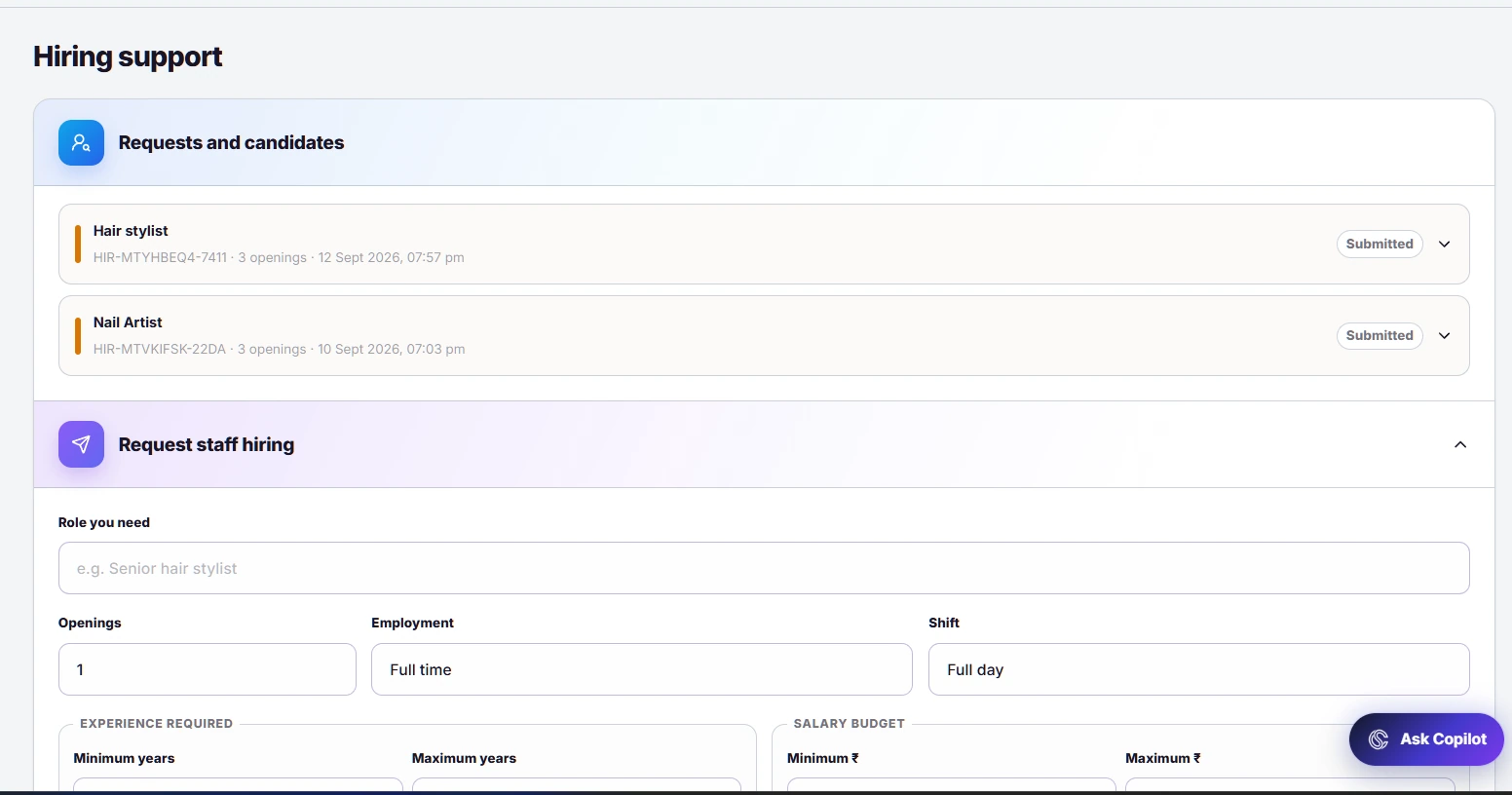
Hiring requests and candidate tracking
Staffing support
Raise a staffing request from the owner workspace with the role, experience, salary range and skills your salon needs. Follow the request and shared candidates through the hiring process.
What you can do
- Describe the role, openings and joining timeline.
- Specify experience, skills and salary expectations.
- Track request progress and candidate updates.
Product screenshots (1)
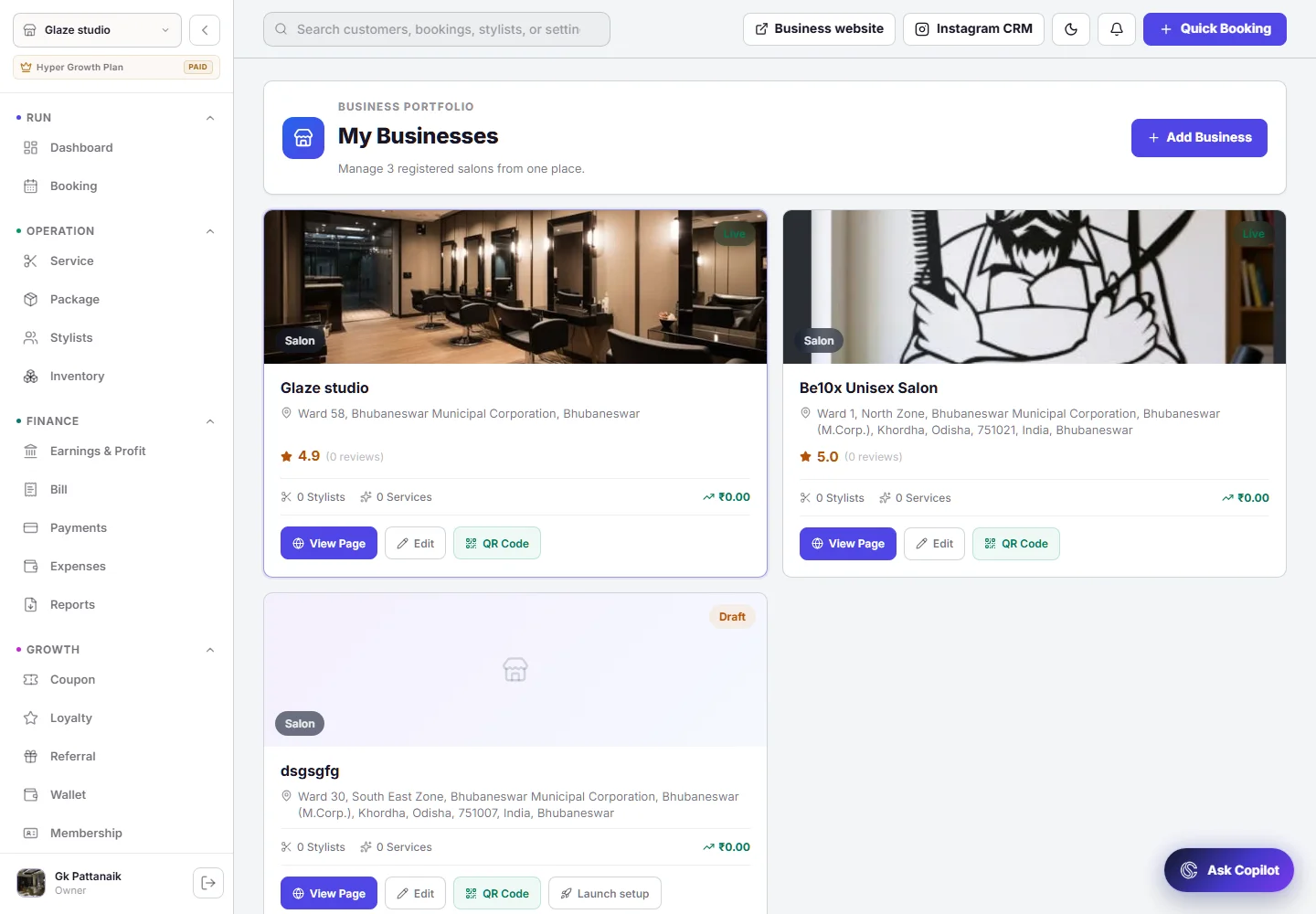
Business and outlet management
Multiple outlets, connected
Keep your salon locations connected under one owner workspace. Review the businesses you manage, switch between outlets and open each location’s website or management tools.
What you can do
- Add and manage multiple salon locations.
- Switch the selected outlet in the owner workspace.
- Open location-specific information and public websites.
Product screenshots (1)
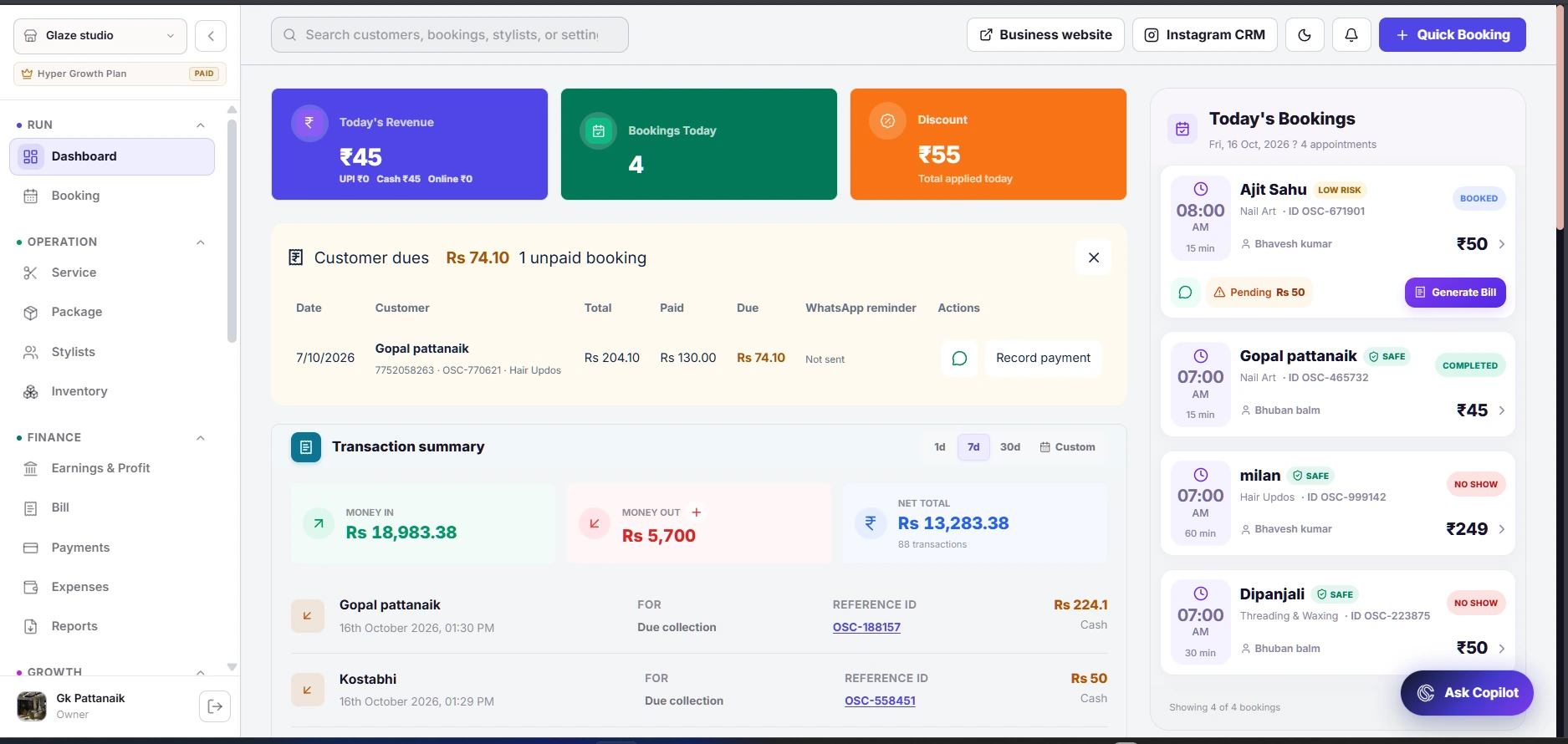
Customer dues and payment collection
Customer dues & recovery
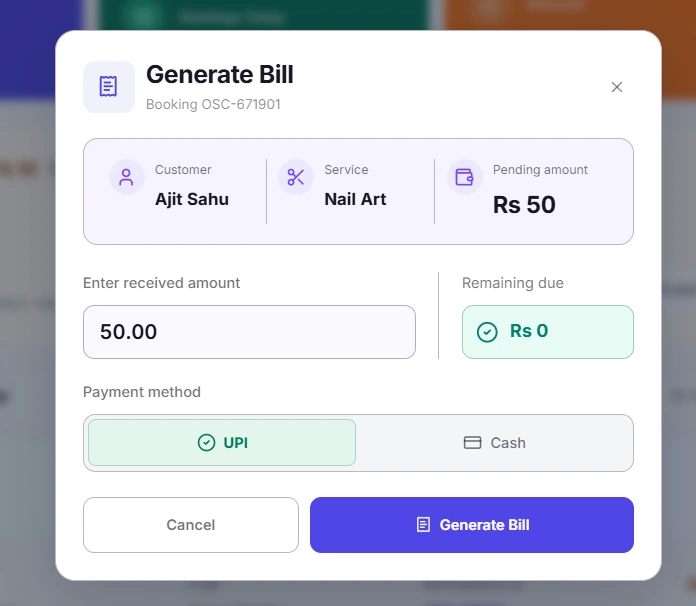
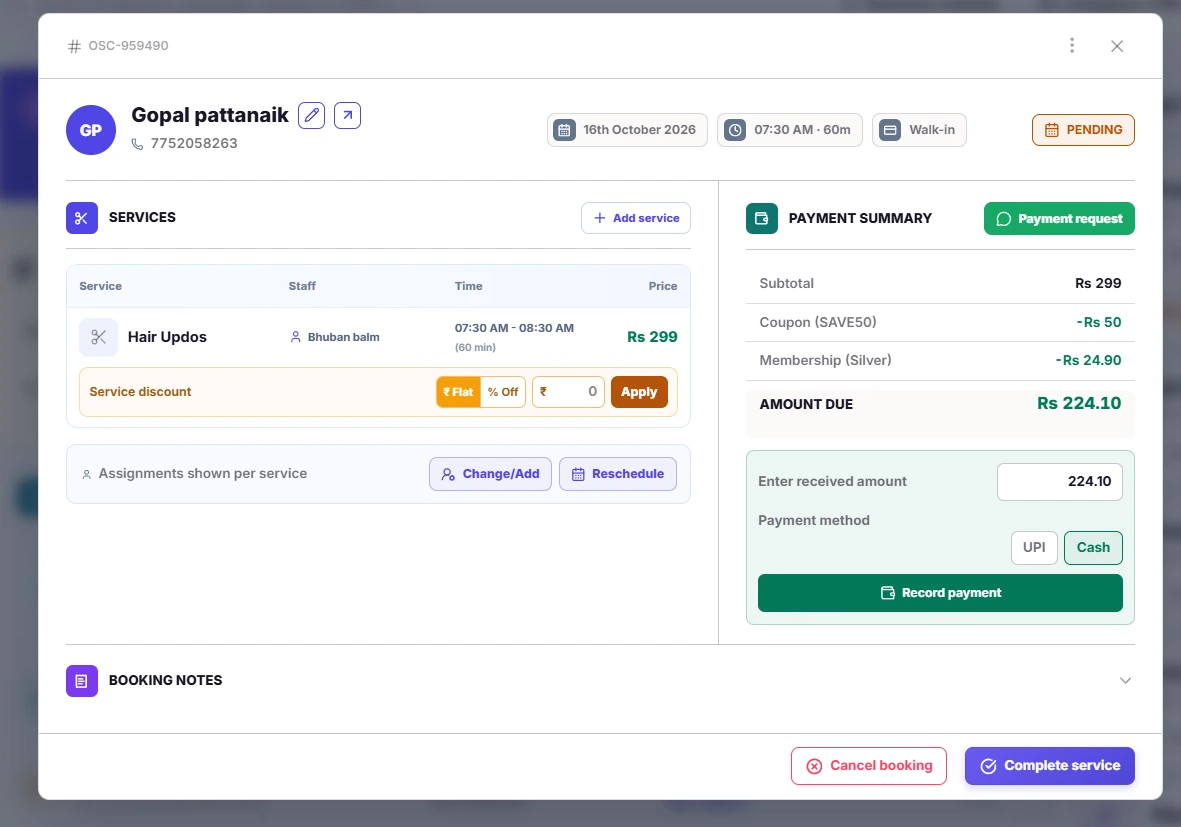
Keep unpaid balances visible after a visit. Review the customer, booking total, amount already paid and remaining dues, then open the booking or collection flow to record a payment against the right visit.
What you can do
- See unpaid bookings and outstanding customer balances.
- Review the amount received and remaining due before collecting.
- Record supported cash or UPI collections against the booking.
Product screenshots (4)
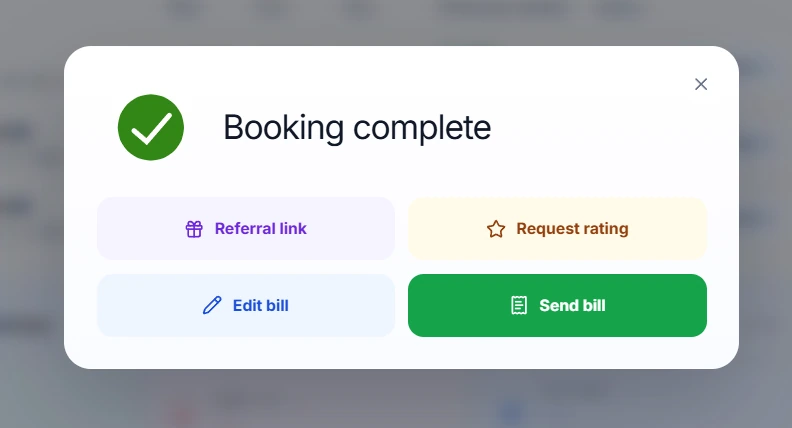
Booking confirmation and follow-up actions
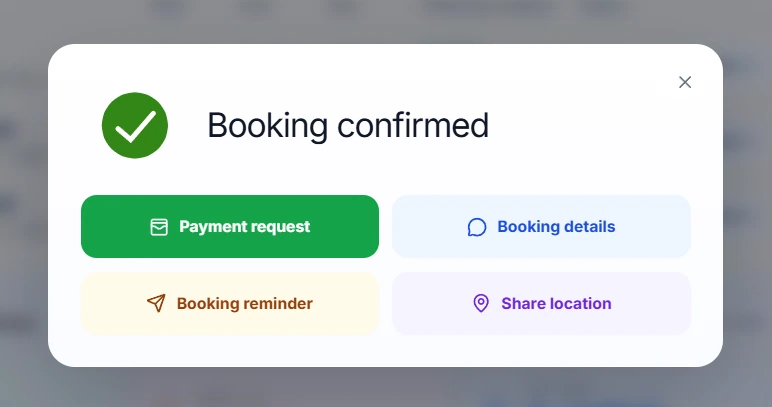
Booking reminders & updates
Keep the conversation moving after an appointment is confirmed. The booking actions bring reminders, payment requests, booking details and salon location sharing together, while completion actions support reviews, referrals and billing.
What you can do
- Access reminder and payment-request actions after confirmation.
- Share booking details and salon directions with the customer.
- Follow up after service completion with reviews, referrals and bills.
Product screenshots (3)
Service catalogue and treatment setup
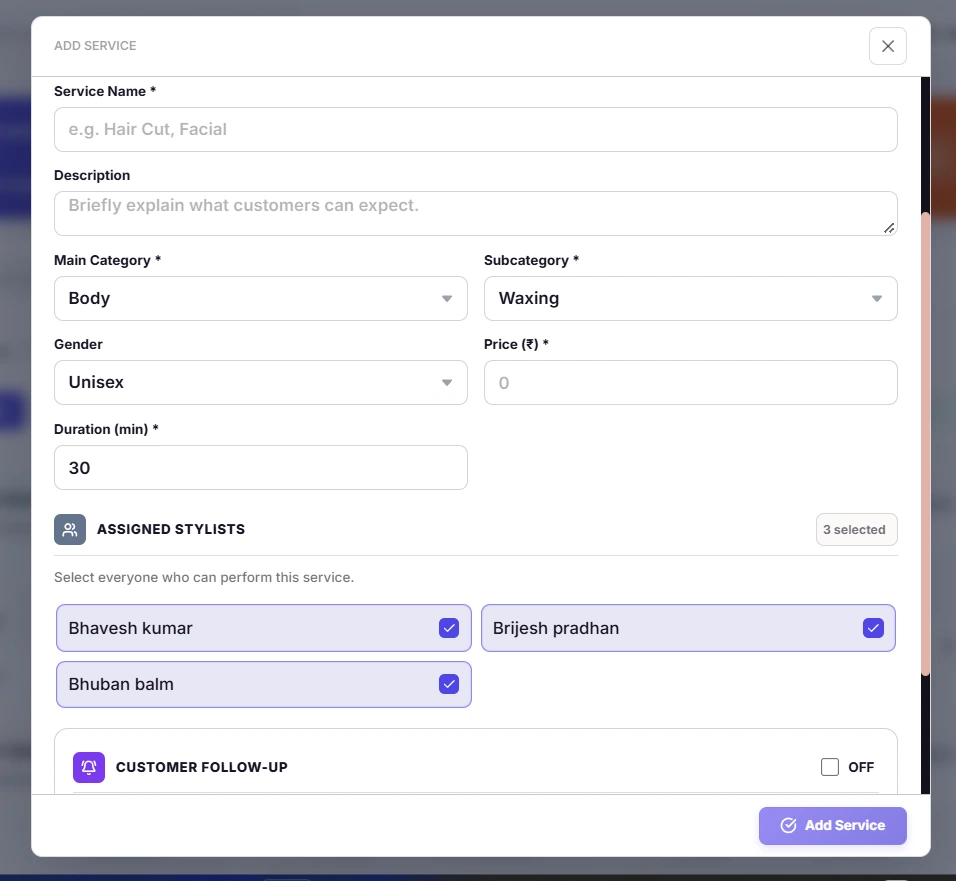
Service catalogue & follow-ups
Build a consistent treatment menu for the front desk and your public website. Organise services into categories, define duration and pricing, assign the right stylists and configure available customer follow-up settings.
What you can do
- Manage service names, descriptions, categories and prices.
- Set treatment duration and assign eligible stylists.
- Configure customer follow-up options from the service editor.
Product screenshots (2)
Stylist and service performance insights
Staff performance insights
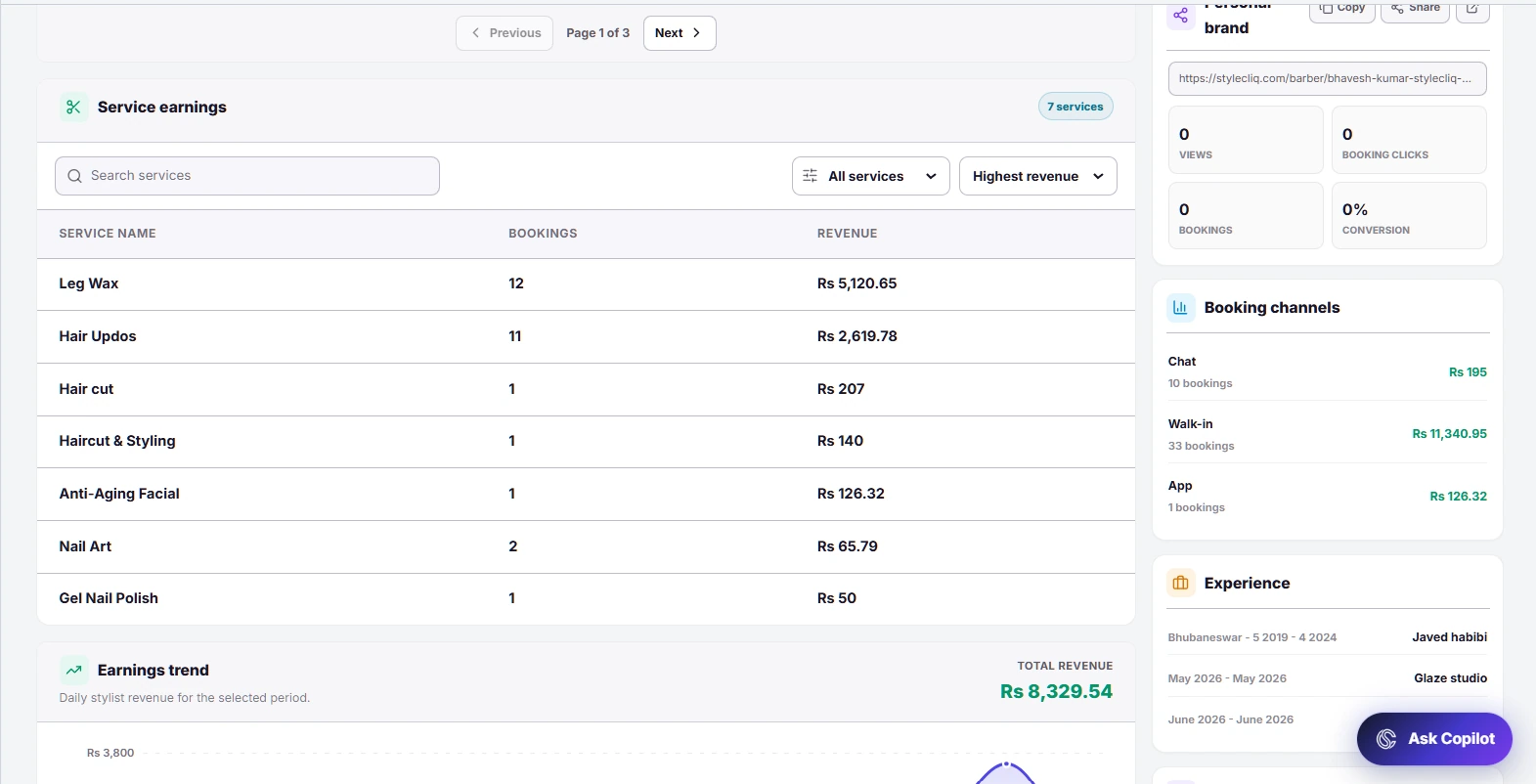
Understand how each stylist contributes to the salon. Review individual revenue, bookings and average booking value, then explore service earnings and booking channels for a clearer view of performance over time.
What you can do
- Compare revenue, booking volume and average booking value.
- Explore service-level earnings and booking history.
- Review booking channels and personal-brand activity.
Product screenshots (3)
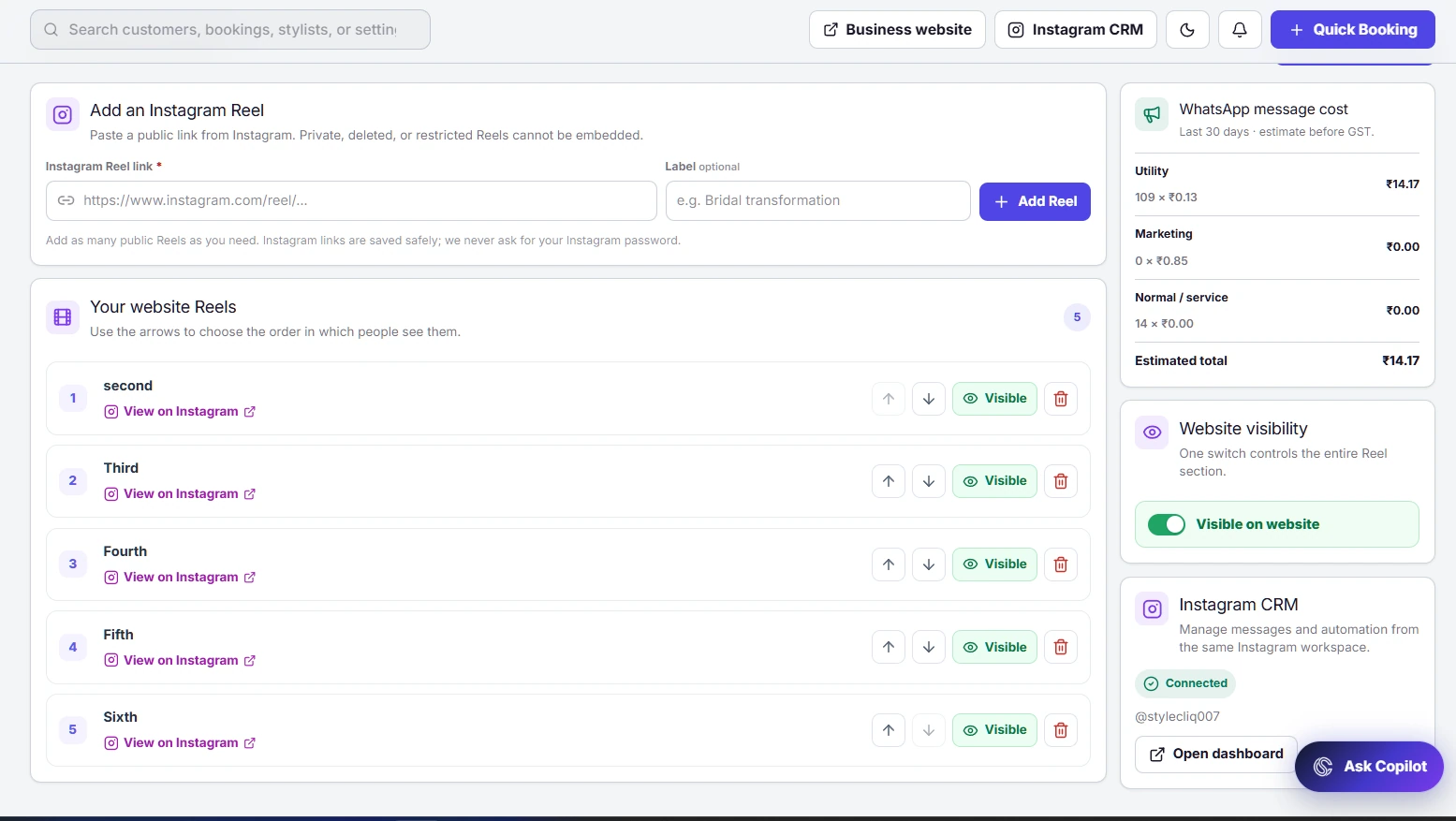
Instagram Reels and website visibility
Instagram Reels showcase
Bring your salon’s public Instagram content into its website experience. Add Reel links in the marketing workspace, arrange their display order and control which clips are visible to visitors.
What you can do
- Add public Instagram Reel links without sharing your password.
- Reorder clips and control individual Reel visibility.
- Show or hide the website’s entire Reel section.
Product screenshots (2)